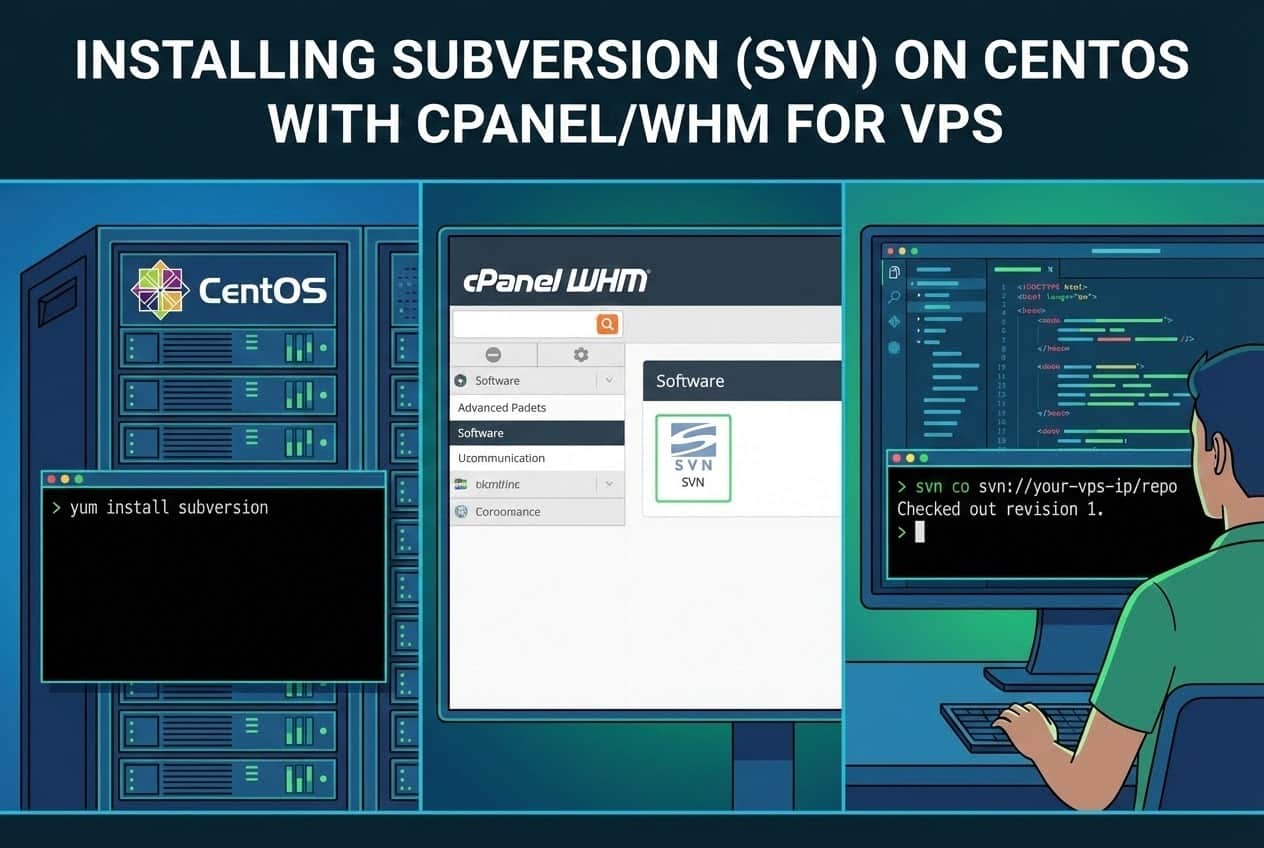
Subversion (SVN) is a powerful open-source version control system. For developers using a Virtual Private Server (VPS) running CentOS and managing their server via cPanel/WHM, integrating SVN can streamline deployment and collaboration. This article in server guides category, provides a step-by-step guide to installing and configuring SVN on your system.
Prerequisites
Before beginning the installation, ensure you have:
- A VPS running CentOS (e.g., CentOS 7 or 8).
- Root access (or a user with sudo privileges) to the server via SSH.
- The cPanel/WHM control panel installed and accessible.
- Basic familiarity with the Linux command line.
If you’re looking to enhance your website’s performance, you might want to buy VPS server hosting for more reliability and speed compared to traditional shared hosting.
Step 1: Install Subversion via YUM
Subversion is available in the standard CentOS repositories, making the installation straightforward using the Yellowdog Updater, Modified (YUM) package manager.
- Connect to your server via SSH:ssh root@your_server_ip
- Install the Subversion package and its dependencies:yum install subversion -y
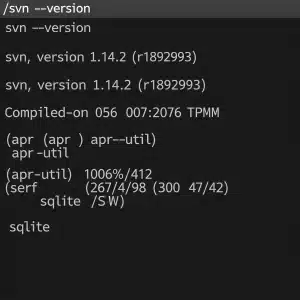
- Verify the installation by checking the SVN version:svn –version
This command should output the installed SVN version details, confirming a successful installation. For those looking for cPanel hosting services that come with SSH access and Subversion installed, you can easily manage your projects with enhanced security and version control right from your hosting panel.
(Image 1: Screenshot showing the successful output of svn –version command)
Step 2: Create the SVN Repository
Now that SVN is installed, you need to create a dedicated directory for your repository. It’s generally best practice to place repositories outside of the standard web-accessible directories (like /home/user/public_html). A common location is /svn or /var/svn.
- Create the parent directory for your repositories:mkdir /svn
- Create a new repository (e.g., named myproject) within that directory:svnadmin create /svn/myproject
- Verify the directory structure. The command above creates several files and folders (e.g., conf, db, hooks) inside /svn/myproject.
Step 3: Configure User Authentication and Authorization
To secure your repository, you need to define users and their access levels. This is managed within the configuration files located in the repository’s conf directory (/svn/myproject/conf/).
- Edit the svnserve.conf file to enable authentication and define the authorization file:
nano /svn/myproject/conf/svnserve.conf
Uncomment (remove the # symbol) or modify the following lines:
anon-access = none
auth-access = write
password-db = passwd
authz-db = authz
realm = My Project Repository
- Edit the passwd file to define usernames and passwords:
nano /svn/myproject/conf/passwd
Add your user credentials in the format

username = password:[users]

developer1 = securepassword123

manager = anothersecurepass
- Edit the authz file to control access permissions for users and groups:
nano /svn/myproject/conf/authz
Define groups and assign permissions (r=read, rw=read/write):

[groups]

devs = developer1, manager

[myproject:/]

@devs = rw

* =
This configuration grants read/write access to all members of the devs group for the entire repository (/) and denies access (* = ) to everyone else.
(Image 2: Screenshot showing the edited contents of the authz file within the nano editor)
Step 4: Run Subversion as a Service (svnserve)
SVN needs to run as a daemon (service) to allow remote connections.
- Start the SVN service using the svnserve command. Use the -d (daemon) and -r (root) flags, pointing to the parent directory of your repositories:svnserve -d -r /svn
This command makes all repositories under /svn/ accessible.
- (Optional but Recommended) Configure SVN to start automatically at boot using systemd.
Create a service file:
nano /etc/systemd/system/svnserve.service
Paste the following content:
[Unit]

Description=Subversion Daemon

After=network.target

[Service]

Type=forking

EnvironmentFile=-/etc/sysconfig/svnserve

ExecStart=/usr/bin/svnserve -d -r /svn

ExecStop=/usr/bin/killall svnserve

User=root

Group=root

KillMode=process

[Install]

WantedBy=multi-user.target
Reload the systemd manager configuration, enable, and start the service:systemctl daemon-reload
systemctl enable svnserve

systemctl start svnserve
Step 5: Configure the Firewall (cPanel/WHM Integration)
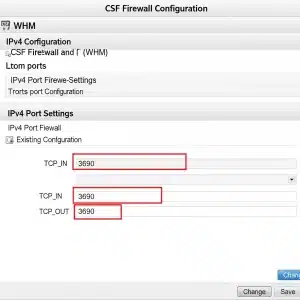
By default, SVN uses port 3690. You must open this port in your firewall (usually firewalld or CSF/LFD if managed by WHM) to allow external access.
Using firewalld (Standard CentOS Firewall)
If you are using firewalld, run the following commands:
firewall-cmd --permanent --add-port=3690/tcp

firewall-cmd --reload
Using CSF/LFD (Common in cPanel/WHM)
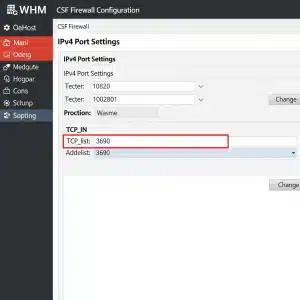
If your VPS uses the ConfigServer Security & Firewall (CSF), you will need to add port 3690 to the allowed TCP ports. For better security & service, it’s a smart choice to order managed VPS with cPanel because it simplifies management and boosts protection. Plus, having CSF firewall installed adds an essential layer of defense against unauthorized access and threats.
- Log in to WHM (Web Host Manager).
- Navigate to Plugins -> ConfigServer Security & Firewall.
- Click Firewall Configuration.
- Find the TCP_IN setting and add 3690 to the list of ports.
- Click Change and then Restart CSF/LFD for the changes to take effect.
(Image 3: Screenshot of the CSF Firewall Configuration page in WHM, highlighting where port 3690 is added)
Conclusion
Your Subversion server is now installed, configured, and accessible! Developers can now connect to your repository using a client (like TortoiseSVN or command line) via the URL: svn://your_server_ip/myproject. This setup provides a robust foundation for version control on your CentOS cPanel VPS or dedicated server you own.
FAQs
What is Subversion (SVN) and why should I install it on my VPS?
Subversion (SVN) is a popular version control system that helps you manage changes to your source code and files efficiently. Installing SVN on your CentOS cPanel VPS allows you to keep track of project history, collaborate with your team seamlessly, and ensure that you can roll back to previous versions if needed. It’s a vital tool for developers who want robust version management on their server.
Is Subversion (SVN) compatible with CentOS and cPanel?
Absolutely! SVN works well with CentOS, and although cPanel doesn’t provide a built-in SVN management interface, you can easily install and configure SVN on your VPS. Once installed, you can access SVN repositories directly via the command line and integrate it with your development workflow.
How do I install Subversion (SVN) on my CentOS cPanel VPS?
- Connect to your VPS – Use SSH (for example, via terminal or PuTTY) to access your server.
- Update your system – Run
sudo yum update -yto ensure your packages are up to date. - Install Subversion – Use the command
sudo yum install subversion -yto install SVN. - Create a repository – Decide where to host your SVN repositories, then create one using
svnadmin create /path/to/repository. - Set permissions – Make sure the SVN user has appropriate permissions on the repository directory.
- Configure access – You can configure HTTP(S) access via Apache or use SVN protocols for repository interaction.
How do I manage SVN repositories on a cPanel VPS?
While cPanel doesn’t offer a graphical SVN interface, you can still manage SVN repositories by:
- Using the command line for repository creation, commits, and updates.
- Setting up Apache with mod_dav_svn for HTTP access to SVN repositories.
- Utilizing third-party SVN management tools or web interfaces if you prefer a GUI.
Related Article: How to Install Apache on CentOS
Can I secure my SVN repositories on a cPanel VPS?
Security is crucial. You can protect your SVN repositories by:
- Setting up authentication using Apache’s
htpasswdfor HTTP(S) access. - Restricting repository access to specific IP addresses.
- Enforcing SSH key-based authentication if using the
svn+sshprotocol. - Regularly backing up your repositories to avoid data loss.
Will installing SVN affect my existing cPanel setup?
Installing SVN and its dependencies generally won’t interfere with your cPanel environment. However, it’s always good practice to back up your VPS before making significant changes. When configuring SVN for web access, be careful to avoid conflicts with your existing Apache configuration managed by cPanel.
Where can I find more help if I get stuck?
If you encounter problems, consider these options:
- Check the official SVN and CentOS documentation for detailed guides.
- Explore cPanel forums and community support for VPS-related questions.
- Contact your hosting provider’s support team for assistance.
- Look for tutorials and videos online tailored to CentOS SVN installation.
As cybersecurity threats continue to evolve, having a robust antivirus solution is essential. In 2023, several free antivirus options stand out for their effectiveness and user-friendly interface.
1. Avast Free Antivirus
Avast Free Antivirus offers a comprehensive suite of features including real-time protection and a password manager. It is highly rated for its intuitive interface and low system impact.
2. AVG AntiVirus Free
AVG AntiVirus Free is known for its strong malware detection capabilities and user-friendly design. It also includes email scanning and a file shredder for enhanced security.
3. Bitdefender Antivirus Free Edition
Bitdefender Antivirus Free Edition provides essential protection with a minimalistic interface. Its advanced threat defense technology ensures proactive scanning without slowing down your system.
4. Kaspersky Security Cloud Free
Kaspersky Security Cloud Free offers excellent malware protection and additional features like a VPN. Its cloud-based technology ensures that your system remains updated against the latest threats.
In summary, 2023 offers several outstanding free antivirus solutions that provide essential protection against malware and other threats without compromising system performance.
Best Free Malware Scanners to Protect Your PC

Free malware scanners are essential tools for scanning and removing malicious software from your system. They complement traditional antivirus programs and help maintain system integrity.
1. Malwarebytes Free
Malwarebytes Free is widely recognized for its powerful malware detection capabilities. It offers a quick scan option and can effectively remove adware and potentially unwanted programs.
2. Zemana AntiMalware
Zemana AntiMalware is a lightweight scanner that specializes in detecting and eliminating malware. Its cloud-based scanning ensures updated definitions and quick results.
3. AdwCleaner
AdwCleaner is specifically designed to remove adware and unwanted toolbars. It is straightforward to use and can be run alongside other antivirus software without conflicts.
4. Emsisoft Emergency Kit
Emsisoft Emergency Kit is a portable scanner that can be used without installation. It combines multiple scanning engines to provide thorough malware detection and removal.
In conclusion, free malware scanners such as Malwarebytes and Zemana AntiMalware serve as effective tools for detecting and removing malware, ensuring your PC remains secure.
The Importance of Regular Malware Scanning
Regular malware scanning is a crucial practice for maintaining the security of your digital environment. It helps detect threats before they can compromise your data or system performance.
1. Early Detection of Threats
Frequent scanning allows for the early detection of malware, which can prevent further damage. Identifying threats promptly minimizes the risk of data loss and system corruption.
2. Protection Against New Threats
New malware variants are continuously emerging, making regular scans essential. Keeping your system updated through frequent scanning ensures protection against the latest threats.
3. System Performance Maintenance
Malware can significantly slow down system performance. Regular scans help identify and remove unwanted programs that may be affecting your PC’s speed and efficiency.
In summary, regular malware scanning is vital for early threat detection, protection against new malware, and maintaining optimal system performance.
How to Keep Your Free Antivirus Updated
Keeping your free antivirus software up-to-date is crucial for ensuring maximum protection against threats. Regular updates not only enhance security features but also improve overall performance.
1. Enable Automatic Updates
Most free antivirus programs offer an option for automatic updates. Enabling this feature ensures that your software stays current with the latest virus definitions and security patches.
2. Manually Check for Updates
If automatic updates are not available, regularly checking for updates manually is essential. Most software has an option in the settings menu to check for the latest updates.
3. Set a Regular Schedule
Establishing a routine for checking updates can help maintain your software’s efficacy. Consider setting reminders weekly or monthly to ensure your antivirus remains up-to-date.
In conclusion, keeping your free antivirus updated is essential for optimal protection, and enabling automatic updates or setting a manual schedule can help achieve this.
Alternatives to Traditional Antivirus Software
While traditional antivirus software is popular, several alternatives offer effective protection against malware. These options can provide specialized security features tailored to user needs.
1. Endpoint Protection Platforms
Endpoint protection platforms provide advanced security features and centralized management. They are ideal for businesses looking to protect multiple devices with a single solution.
2. Browser Extensions
Browser extensions can enhance online security by blocking malicious websites and tracking. These tools often work alongside traditional antivirus software for an added layer of protection.
3. Cloud-Based Security Solutions
Cloud-based security solutions offer real-time protection and updates without requiring local installation. They are scalable and often used by businesses for comprehensive protection.
4. Behavioral Detection Software
Behavioral detection software focuses on identifying unusual patterns of behavior rather than relying solely on signature-based detection. This proactive approach can catch emerging threats more effectively.
In summary, alternatives to traditional antivirus software, such as endpoint protection platforms and behavioral detection software, can provide specialized security solutions for different user needs.
Summary
This article highlighted the top free antivirus software for 2023, the best free malware scanners, the significance of regular scanning, ways to keep your antivirus updated, and alternatives to traditional software. Staying informed and proactive in your cybersecurity approach is essential for protecting your devices.
FAQ
What is the best free antivirus software for 2023?
Some of the best free antivirus software for 2023 includes Avast Free Antivirus, AVG AntiVirus Free, Bitdefender Antivirus Free Edition, and Kaspersky Security Cloud Free.
Do free malware scanners work effectively?
Yes, free malware scanners like Malwarebytes and Zemana AntiMalware are effective at detecting and removing various types of malware.
How often should I scan my computer for malware?
It is advisable to scan your computer for malware at least once a week to ensure ongoing protection and early detection of threats.
How can I keep my antivirus software updated?
You can keep your antivirus software updated by enabling automatic updates, manually checking for updates, or setting a regular schedule for updates.
What are some alternatives to traditional antivirus software?
Alternatives to traditional antivirus software include endpoint protection platforms, browser extensions, cloud-based security solutions, and behavioral detection software.
MikroTik VPS is a Virtual Private Server that runs on MikroTik RouterOS, a specialized operating system designed for advanced network management. Instead of using physical MikroTik routers, you can deploy RouterOS in a cloud-based VPS environment, giving you all the features of enterprise-grade hardware without the cost of purchasing and maintaining physical equipment. This setup provides complete control over routing, firewalls, bandwidth management, VPN connections, and load balancing, all from a virtual platform accessible anywhere.

The main purpose of a MikroTik VPS is to deliver powerful networking capabilities to businesses, hosting providers, and internet service providers (ISPs). With this virtual solution, you can create secure VPN tunnels, manage large-scale bandwidth allocation, configure complex routing rules, and protect data traffic with advanced firewall settings. It is particularly valuable for companies that require high reliability and scalability but want to avoid the expense of traditional hardware-based solutions.
Because the VPS is hosted in the cloud, you can easily scale resources on demand, apply updates remotely, and maintain high levels of uptime. Whether you’re setting up a private network for a business, optimizing traffic for a hosting company, or delivering internet services as an ISP, a MikroTik VPS offers the flexibility and control needed to build a powerful, secure, and future-ready network.
MikroTik VPS vs. Traditional VPS Hosting
When comparing a MikroTik VPS to a traditional VPS hosting service, the key difference lies in the operating system and the server’s primary purpose. A standard VPS typically runs on common operating systems such as Linux or Windows and is used to host websites, applications, or databases. In contrast, a MikroTik VPS is specifically designed to run RouterOS, a network-focused platform that turns the virtual server into a powerful router, firewall, and traffic management system. This specialized environment gives network administrators far more control over routing, bandwidth shaping, VPN connections, and overall network security than a general-purpose VPS.
Another major distinction is the feature set and flexibility. Traditional VPS hosting is optimized for tasks like web hosting, email management, or running cloud applications, but it usually requires third-party tools to handle complex networking tasks. A MikroTik VPS, on the other hand, includes built-in tools such as advanced firewalls, dynamic routing protocols, traffic queues, and VPN servers. These features are ready to use immediately after deployment, allowing businesses and ISPs to create custom network solutions without relying on additional software or hardware.
Finally, there are important differences in server management and scalability. With a traditional VPS, administrators often need to configure multiple services and security layers to achieve the same level of network control that MikroTik offers natively. MikroTik VPS hosting provides a more streamlined experience by focusing on networking performance and scalability from the start. Because it is cloud-based, users can upgrade resources, apply updates, and implement new routing rules quickly and remotely. For organizations that prioritize networking efficiency, security, and cost savings, a MikroTik VPS delivers a level of functionality that traditional VPS hosting simply cannot match.
Key Benefits of Using a MikroTik VPS for Businesses
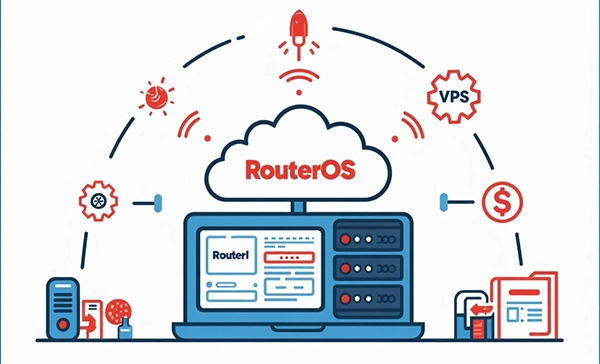
A MikroTik VPS provides businesses with enterprise-level networking capabilities without the need to purchase expensive hardware routers. By deploying MikroTik’s RouterOS on a virtual private server, organizations gain access to advanced features such as dynamic routing, bandwidth management, firewall protection, and VPN configuration all within a scalable cloud environment. This means companies can expand or reduce resources based on demand, ensuring they only pay for what they need while maintaining peak performance.
Another significant benefit is cost efficiency. Traditional networking hardware often requires large upfront investments and ongoing maintenance costs. With a MikroTik VPS, businesses avoid these expenses and instead operate on a pay-as-you-go model, making it ideal for startups, SMEs, and even large enterprises looking to optimize their IT budgets. The virtual setup also eliminates physical space requirements and allows for instant upgrades, saving both time and money compared to traditional hardware solutions.
Additionally, a MikroTik VPS enhances security and flexibility. RouterOS includes robust security tools such as configurable firewalls, encrypted VPNs, and access control lists that protect sensitive data and prevent unauthorized access. Businesses can customize their network to meet specific requirements, whether they need to support remote teams, manage multiple branch connections, or implement strict quality-of-service (QoS) rules to prioritize critical traffic.
Main Use Cases of MikroTik VPS in Networking and the Internet
The versatility of a MikroTik VPS makes it suitable for a wide range of networking scenarios. One of the most common applications is for internet service providers (ISPs) who need to manage traffic for large numbers of users while maintaining high performance and security. ISPs can use a MikroTik VPS to handle tasks like traffic shaping, bandwidth allocation, and advanced routing without the need for costly on-premise hardware.
Businesses also deploy MikroTik VPS servers to create secure VPN connections between remote offices, data centers, or mobile teams. With RouterOS’s built-in VPN capabilities, organizations can easily set up encrypted tunnels for safe data transmission across multiple locations. This is especially valuable for companies with distributed workforces or those requiring secure access to internal systems from outside networks.
Another popular use case is network optimization and monitoring. Companies can leverage the MikroTik VPS to balance network loads, enforce traffic prioritization, and analyze real-time network statistics. This ensures stable connectivity for critical services like VoIP, video conferencing, and cloud applications while reducing latency and preventing congestion.
For more ideas on practical implementations, check out Best Use Cases of VPS Server to explore scenarios where VPS hosting delivers maximum value.
Why Network Administrators Prefer MikroTik VPS

Network administrators often choose a MikroTik VPS because it provides powerful tools and an intuitive interface that simplify complex networking tasks. RouterOS supports a wide range of protocols and configurations, giving admins granular control over routing, firewall settings, and bandwidth management. This level of flexibility allows them to build custom network solutions tailored to specific business needs without relying on additional hardware or third-party services.
The cloud-based nature of a MikroTik VPS also means that administrators can manage the network remotely, apply updates, and monitor performance in real time. This reduces downtime and enables quick responses to any potential issues, ensuring that network operations remain smooth and secure. Features like automatic backups, detailed logging, and advanced diagnostics make troubleshooting and maintenance easier than with traditional hardware routers.
Moreover, MikroTik VPS hosting is renowned for its scalability and cost-effectiveness. Administrators can upgrade CPU, RAM, or storage resources instantly as the network grows, avoiding the delays and expenses associated with physical equipment upgrades. For professionals seeking a reliable, high-performance, and flexible networking solution, a MikroTik VPS provides an unmatched combination of control, security, and efficiency.
Important Factors to Check Before Purchasing a MikroTik VPS
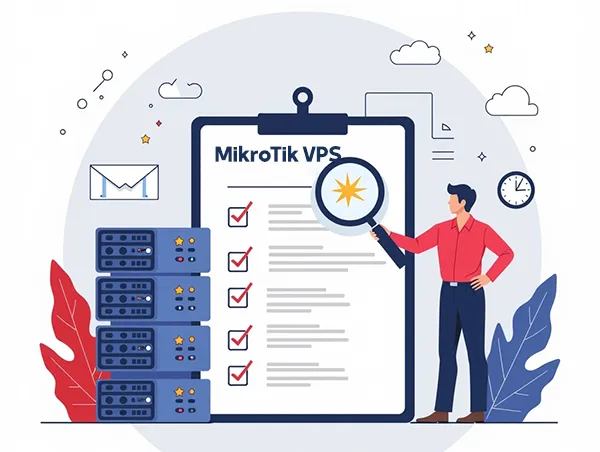
Before investing in a MikroTik VPS, it’s essential to evaluate a few key factors to ensure the service matches your network needs. First, consider the server specifications such as CPU performance, RAM, storage type (SSD vs. HDD), and bandwidth limits. These resources directly affect the performance of RouterOS features like routing, VPN encryption, and firewall rules. Choosing a plan with enough processing power and memory will help maintain stable network operations, especially if you plan to handle heavy traffic or complex configurations.
Second, check the hosting provider’s data center location and network quality. Selecting a VPS geographically closer to your target users or branch offices will reduce latency and improve overall connection speeds. Reliable network uptime and redundant infrastructure are also critical to maintaining consistent service availability. Look for providers that guarantee at least 99.9% uptime and offer fast, low-latency connections for optimal performance.
Finally, evaluate the security and support options offered by the provider. A trustworthy host should provide features like DDoS protection, regular backups, and strong physical data center security. In addition, responsive 24/7 technical support can make a huge difference when troubleshooting issues or performing urgent updates. Choosing a provider with proven reliability and excellent customer service ensures that your MikroTik VPS remains stable and secure at all times.
How to Choose the Best MikroTik VPS Plan for Your Needs
Selecting the right MikroTik VPS plan starts with understanding your current and future network requirements. Begin by assessing the size of your user base, the expected amount of traffic, and the types of services you plan to run, such as VPNs, firewalls, or bandwidth management tools. This information will help you determine the appropriate amount of CPU power, memory, and disk space required to maintain smooth performance.
Price is an important consideration, but it should not be the only factor. A cheaper plan may seem attractive, but if it lacks the resources or scalability you need, it could lead to performance issues or costly upgrades later. Look for hosting providers that offer flexible plans with easy scaling options, allowing you to adjust resources as your business grows. Transparent pricing with no hidden fees is also essential for effective budget planning.
Additionally, consider the management level and extra features included in the plan. Some MikroTik VPS providers offer managed services, which include regular updates, security monitoring, and technical assistance. Others provide self-managed plans for experienced administrators who prefer full control over configurations. Choosing between managed or unmanaged hosting depends on your technical expertise and how much time you want to dedicate to server maintenance.
Step-by-Step Guide to Buying a MikroTik VPS from Reliable Providers
Purchasing a MikroTik VPS is a straightforward process, but following a clear step-by-step approach will help you avoid common mistakes. Start by researching and comparing reputable hosting providers that specialize in MikroTik VPS hosting. Read customer reviews, check performance benchmarks, and verify that the provider offers RouterOS compatibility and the necessary resources for your network requirements.
Once you have selected a provider, the next step is to choose the appropriate plan. Carefully evaluate CPU, RAM, storage, and bandwidth options to ensure the package meets your current needs and allows for future scaling. Some providers may also offer trial periods or money-back guarantees, which can be useful if you want to test performance before committing long-term.
Finally, proceed with the sign-up and setup process. After registering, you will typically receive login credentials and access to a control panel where you can install and configure RouterOS. At this stage, it’s important to set strong passwords, enable available security features, and schedule regular backups to safeguard your new server. Completing these steps ensures that your MikroTik VPS is ready for deployment with maximum performance and protection.
Initial Installation and Setup of a MikroTik VPS
Setting up a MikroTik VPS begins as soon as you receive your server credentials from the hosting provider. After logging into the control panel, you’ll typically find RouterOS pre-installed or available as a one-click installation option. Start by confirming that the RouterOS version is up to date, since using the latest release ensures access to new features and important security patches. Once verified, create a secure administrator password and configure remote access methods, such as SSH or Winbox, to manage the server safely.
Helpful Topic: How to Change SSH Port on Linux VPS Server
Next, configure the basic network settings. Assign IP addresses, gateways, and DNS servers based on your network plan. For administrators running multiple services, it’s recommended to set up VLANs or routing tables early in the process to simplify traffic management later. At this stage, you can also enable logging to track network activity and monitor system performance in real time. Proper initial setup ensures that your MikroTik VPS operates efficiently from the start and minimizes the risk of future configuration errors.
Finally, consider creating a backup of the initial configuration before making complex changes. This allows you to restore a clean setup if anything goes wrong during advanced customization. Taking a cautious, step-by-step approach during installation ensures a stable foundation for building a secure and high-performance network.
Essential Security Configurations to Protect Your MikroTik Server

Security is one of the most critical aspects of running a MikroTik VPS, and configuring it correctly from the beginning can prevent costly breaches. Start by disabling unused services such as Telnet or FTP to reduce potential attack surfaces. Use strong, unique passwords and enable two-factor authentication if supported by your hosting provider. Restrict access to the management interface by creating firewall rules that allow connections only from trusted IP addresses.
Another important measure is to configure encrypted VPN access for administrative tasks. Using VPN tunnels such as IPsec or OpenVPN ensures that all traffic between your devices and the MikroTik VPS remains private and protected from eavesdropping. You should also enable logging and intrusion detection features to identify suspicious activity in real time. These tools provide valuable data for analyzing potential threats and taking proactive action.
Finally, keep RouterOS and all packages regularly updated. MikroTik frequently releases patches to fix vulnerabilities and enhance security. Setting up automatic updates or scheduling routine checks helps maintain the highest level of protection. By implementing these essential security practices, you can safeguard your network and maintain user trust while enjoying the advanced capabilities of a MikroTik VPS.
Firewall Configuration and Traffic Control on MikroTik VPS
A properly configured firewall is the backbone of any secure and efficient network, and MikroTik’s RouterOS offers powerful tools to create detailed firewall rules. Begin by setting up basic filtering rules that block unauthorized traffic while allowing essential services. For example, restrict management ports to specific IP ranges and drop all unexpected inbound connections. These foundational rules help protect your MikroTik VPS from common threats like DDoS attacks and port scanning attempts.
Next, take advantage of RouterOS’s advanced features for traffic control and bandwidth management. Queue trees, simple queues, and mangle rules allow administrators to prioritize critical traffic, such as VoIP or video conferencing, while limiting less important services during peak hours. This ensures that essential applications remain stable even when network usage is high.
For large or complex networks, implement dynamic firewall rules and address lists. These tools automate security responses by blocking suspicious IPs, redirecting malicious traffic, or adjusting bandwidth allocations based on real-time conditions. By combining strong security policies with intelligent traffic control, a MikroTik VPS can deliver both robust protection and optimized performance for any business environment.
Managing Users and Access Permissions in MikroTik VPS
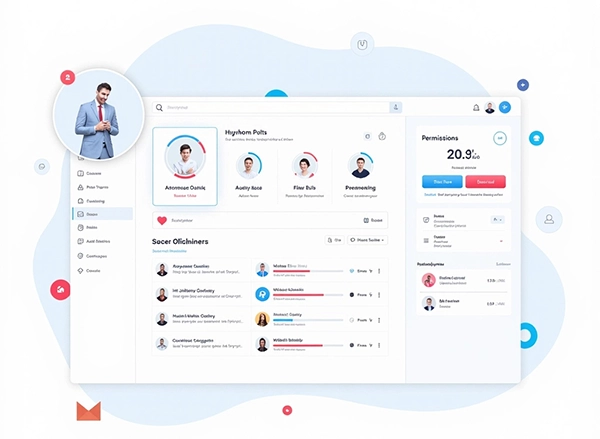
Effective user management is essential for keeping your MikroTik VPS secure and organized. Begin by creating individual accounts for each administrator or team member who needs access, rather than sharing a single login. This approach provides accountability and allows you to track changes made by specific users. Assign each account a unique, strong password and restrict access to only the services that person requires. For example, a technician responsible for monitoring traffic should not have the same privileges as someone configuring firewall rules.
RouterOS offers flexible group and permission settings that let you define custom access levels. You can create user groups for different roles, such as network admins, support staff, or monitoring teams, and assign granular permissions to each group. By doing so, you maintain tight control over critical system functions and reduce the risk of accidental misconfigurations or unauthorized changes.
It is also important to implement regular user audits. Review user accounts periodically to disable inactive profiles and update permissions when team responsibilities change. Enforcing these best practices helps ensure that only authorized personnel can access sensitive configurations, maintaining the security and stability of your MikroTik VPS.
Backup and Restore Procedures for MikroTik VPS
Regular backups are crucial to protecting your MikroTik VPS against data loss, configuration errors, or unexpected system failures. MikroTik RouterOS provides built-in tools to create full configuration backups or export specific settings for easy restoration. It’s a good practice to schedule automated backups at regular intervals, such as daily or weekly, and store them in secure off-site locations or encrypted cloud storage.
When creating a backup, ensure that critical elements like firewall rules, routing tables, and VPN configurations are included. RouterOS allows you to generate a binary backup for quick, complete recovery, as well as an export file for detailed review and manual restoration. Keeping multiple backup versions can also help you roll back to a stable configuration if a recent change causes problems.
Restoring a MikroTik VPS from a backup is straightforward. Using the Winbox interface or command line, you can import the saved configuration and apply it immediately. Regular testing of your restore process ensures that backups are functional and reliable, giving you peace of mind in case of hardware failure, cyberattacks, or accidental misconfigurations.
Optimizing the Speed and Performance of Your MikroTik VPS

To get the most out of your MikroTik VPS, it’s important to fine-tune performance settings for maximum speed and efficiency. Start by monitoring system resources such as CPU load, memory usage, and network throughput using RouterOS’s built-in tools. Identifying bottlenecks early allows you to upgrade resources or adjust configurations before performance issues affect end users. For additional techniques, see How To Optimize Your VPS Hosting Server for a complete VPS optimization checklist.
Traffic management plays a key role in optimization. Use RouterOS features like Queue Trees and Simple Queues to prioritize critical services, ensuring that essential applications such as VoIP, video conferencing, and database connections remain stable even during peak traffic hours. Properly designed Quality of Service (QoS) policies can dramatically improve user experience by minimizing latency and packet loss.
Regular maintenance is also critical for sustained performance. Keep RouterOS updated, clean up unused firewall rules, and periodically review routing tables to remove outdated entries. If your network demands increase over time, consider scaling your VPS plan to add CPU, RAM, or bandwidth. With careful monitoring and proactive adjustments, your MikroTik VPS can deliver fast, reliable service that meets the needs of even the most demanding networks.
Troubleshooting and Fixing Common Issues on MikroTik VPS

Even with a well-configured MikroTik VPS, occasional issues such as connectivity drops, high CPU usage, or routing conflicts can occur. The first step in troubleshooting is to use RouterOS’s built-in diagnostic tools like Ping, Traceroute, and Torch to identify where the problem originates. Checking the system logs is equally important, as detailed logs often reveal misconfigurations, failed authentication attempts, or hardware resource limits.
Another common challenge is firewall misconfiguration, which can unintentionally block legitimate traffic. Carefully reviewing firewall rules and using a step-by-step testing method helps pinpoint errors without disrupting critical services. If performance issues persist, examine bandwidth usage with tools like Queue Trees and traffic flow monitoring to detect network congestion or malicious activity such as DDoS attacks.
When all else fails, restoring from a recent backup can quickly resolve persistent issues. Keeping multiple backup versions ensures you can roll back to a stable configuration without losing important data. Combined with proactive monitoring, regular updates, and documented change logs, these troubleshooting practices keep your MikroTik VPS running smoothly and securely.
Conclusion
A MikroTik VPS delivers enterprise-grade networking power in a cost-effective, cloud-based environment. By running RouterOS on a virtual server, businesses, ISPs, and network administrators gain advanced features such as dynamic routing, bandwidth management, and powerful firewalls, all without the expense of physical hardware. This flexibility makes MikroTik VPS hosting an ideal choice for organizations seeking scalability, reliability, and strong security.
Before purchasing, carefully evaluate your provider’s reputation, server specifications, and support quality. Selecting a plan with sufficient CPU, memory, and bandwidth will ensure that your network performs reliably even as traffic grows. Implementing strong security measures and regular backups from the start will protect your infrastructure and simplify future upgrades.
Whether you’re building a secure corporate network, optimizing bandwidth for a hosting service, or offering internet connectivity as an ISP, a MikroTik VPS provides the tools and flexibility to meet your needs today while preparing for tomorrow’s demands. With careful planning and ongoing maintenance, it can serve as the backbone of a powerful, future-ready network.
MikroTik VPS FAQs
If you’re considering using a MikroTik VPS for your networking needs, you probably have some questions. Below, we’ve compiled the most frequently asked questions to help you understand what MikroTik VPS is, how it works, and why it might be the right choice for you.
What is a MikroTik VPS?
MikroTik VPS is a virtual private server that runs MikroTik RouterOS, which is a powerful operating system designed for routing and network management. It allows you to host a virtualized router in the cloud, giving you greater control over your network infrastructure without physical hardware.
Benefits of Using MikroTik VPS
- Flexibility: Easily configure and manage your network settings remotely.
- Cost-efficiency: No need to invest in expensive physical routers.
- Scalability: Upgrade your server resources as your network demands grow.
- Reliability: Enjoy stable network performance with data center hosting.
- Access: Global access to your network setup anytime, anywhere.
How to Set Up MikroTik VPS?
- Choose a VPS Provider: Select a host that supports MikroTik RouterOS virtualization.
- Deploy MikroTik RouterOS: Install the operating system on your VPS instance.
- Configure Network Settings: Use Winbox or WebFig tools to customize your network.
- Secure Your VPS: Set up firewall rules, VPN, and access controls.
Important Configuration Tips
Always keep your RouterOS updated and back up your configurations regularly. Proper firewall settings are crucial to protect your VPS from unauthorized access.
Common Issues and Troubleshooting
- Cannot access VPS: Verify your IP address and firewall settings.
- Slow network speeds: Check bandwidth limits and optimize routing rules.
- License problems: Make sure your MikroTik RouterOS license is valid and activated.
Is MikroTik VPS Suitable for Beginners?
If you’re new to MikroTik, the learning curve can be a bit steep at first. However, numerous tutorials and community forums are available to help you get started. Once you get the hang of the interface and basic commands, managing a MikroTik VPS becomes much easier. It’s a great platform to learn about networking while enjoying the benefits of a virtual router.
In the dynamic world of web hosting, managing subdomains effectively is key to maintaining organized, secure, and efficient websites. DirectAdmin, a widely-used control panel, simplifies tasks like domain and subdomain management, making it a go-to choice for hosting providers like Server, which offers robust hosting, domain, and server solutions.
Whether you’re restructuring a project, isolating applications, or aiming for zero-downtime deployments, changing a subdomain’s DocumentRoot—the directory where the web server looks for files to serve is a common task. This guide provides an in-depth, step-by-step process for updating the DocumentRoot of a subdomain in DirectAdmin, covering prerequisites, planning, three reliable methods (GUI, symlink, and custom vhost), and essential post-change tasks like testing and maintenance.
Using the example subdomain sub.example.com under the user username, we’ll assume an Apache-based setup with an optional Nginx reverse proxy, though the principles apply to other stacks like OpenLiteSpeed with minor tweaks. This comprehensive tutorial ensures you can execute the change confidently, anticipate potential pitfalls, and maintain a robust hosting environment.
Prerequisites and Environment Check: Building a Solid Foundation
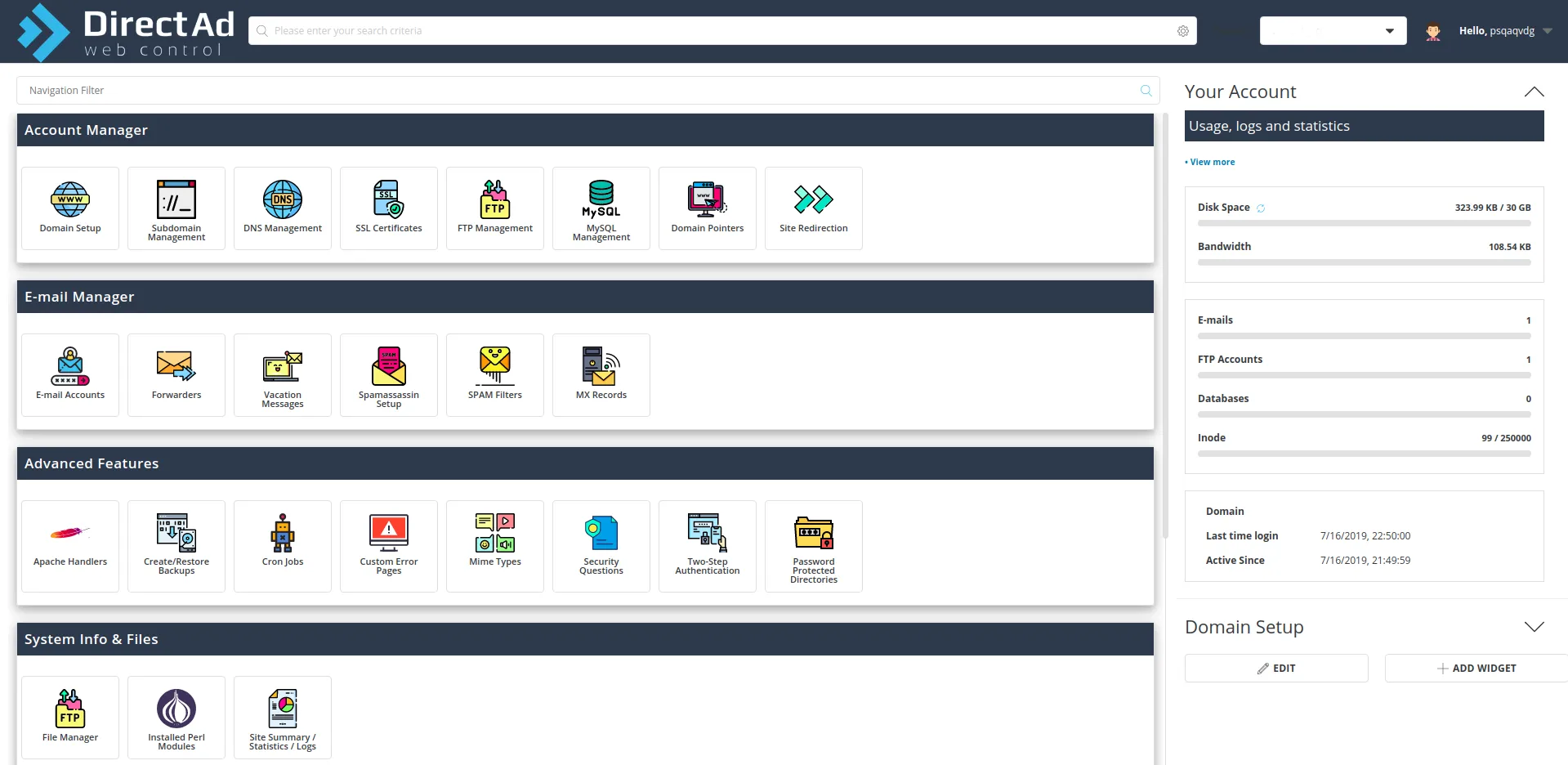
Before diving into changes, you must understand your server environment to avoid missteps that could cause downtime or security issues. Log in to DirectAdmin and note your skin and version. The Evolution skin, standard in modern installations, offers intuitive subdomain management options.
Older skins, like Enhanced, may lack features like a direct “Change Document Root” toggle, affecting your method choice. Your access level—Admin, Reseller, or User—also determines your options. Admins can access advanced tools like Custom HTTPD Configurations, while Users may rely on GUI methods or need hosting provider assistance.
Identify your web server stack, as it impacts configuration:
- Apache only: Common for DirectAdmin, where changes target Apache virtual host files.
- Nginx reverse proxy (nginx+apache): Nginx handles incoming requests and proxies to Apache, requiring updates to both.
- Nginx Unit or OpenLiteSpeed: These use different configuration files or admin panels, but the logic is similar.
Check your stack via SSH with httpd -v for Apache or nginx -v for Nginx, or via DirectAdmin’s CustomBuild section (Admin level).
For our example, the subdomain sub.example.com under user username has a default Apache DocumentRoot at /home/username/domains/example.com/public_html/sub/. Some setups use /home/username/domains/sub.example.com/public_html/ if the subdomain is standalone. Verify this in Subdomain Management or by checking /usr/local/directadmin/data/users/username/httpd.conf.
Always back up the domain’s directory before proceeding:
tar -czf /home/username/backup_example_com_$(date +%F).tar.gz /home/username/domains/example.com/
This creates a compressed archive for quick restoration. If you lack SSH access (common in shared hosting), use DirectAdmin’s File Manager or request a backup from your provider. This step ensures you’re prepared for any issues and aligns with best practices for server management.
Planning the New DocumentRoot: Strategic Path Selection
Choosing the new DocumentRoot is a critical decision that affects security, organization, and maintainability. The default path, /home/username/domains/example.com/public_html/sub/, nests the subdomain within the main domain’s structure, which can become cluttered as projects grow. Consider two primary options:
- Option A: Within the Main Domain – /home/username/domains/example.com/public_html_apps/sub. This keeps files under the main domain, ideal for related applications like blogs or APIs that share resources (e.g., databases or scripts). It simplifies backups but risks cross-contamination if not secured properly.
- Option B: Isolated Structure – /home/username/domains/sub.example.com/public_html.
- This mimics a standalone domain, offering better isolation for independent applications like e-commerce platforms, enhancing security by limiting shared access.
Keep the path within /home/username/ to avoid permission issues or PHP open_basedir restrictions, which limit script access to safe directories. Paths outside this (e.g., /var/www/) often cause ownership or security errors. Evaluate your project’s needs: Does the subdomain need isolation? Will it share resources with the main domain? For instance, a WordPress multisite might prefer Option A, while a standalone Laravel app benefits from Option B. Document your choice in a project runbook to ensure consistency and streamline future maintenance.
Creating the New Directory: Setting Up the Structure
Create the new DocumentRoot directory with proper permissions. For Option A:
mkdir -p /home/username/domains/example.com/public_html_apps/sub
chown -R username:username /home/username/domains/example.com/public_html_apps/sub
chmod -R 755 /home/username/domains/example.com/public_html_apps/sub
The mkdir -p command creates parent directories if needed, chown sets ownership to the DirectAdmin user, and chmod 755 ensures directories are readable and executable by the web server while restricting writes to the owner. For Option B, adjust the path (e.g., /home/username/domains/sub.example.com/public_html). Verify ownership with ls -l to ensure no files are owned by root or other users, which could block access.
Moving or Deploying Site Files: Seamless Migration
Transfer existing files to the new DocumentRoot using rsync:
rsync -aH –delete /home/username/domains/example.com/public_html/sub/ \
/home/username/domains/example.com/public_html_apps/sub/
The -aH flags preserve file attributes and hard links, while –delete removes outdated files from the destination. Omit –delete for a cautious approach. For new deployments, upload files via FTP, Git, or other methods to the new path. Verify the transfer with ls -l to confirm files are present and correctly owned.
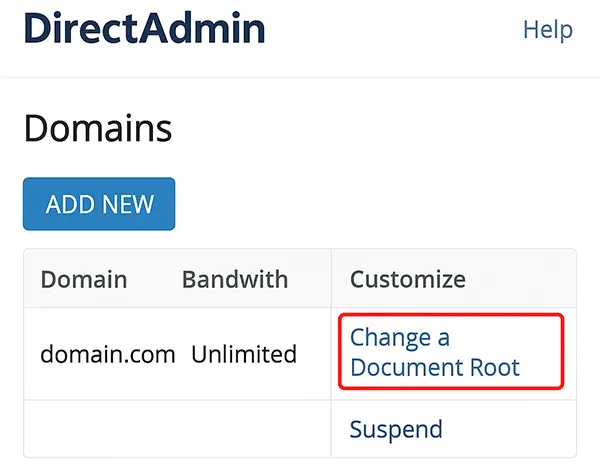
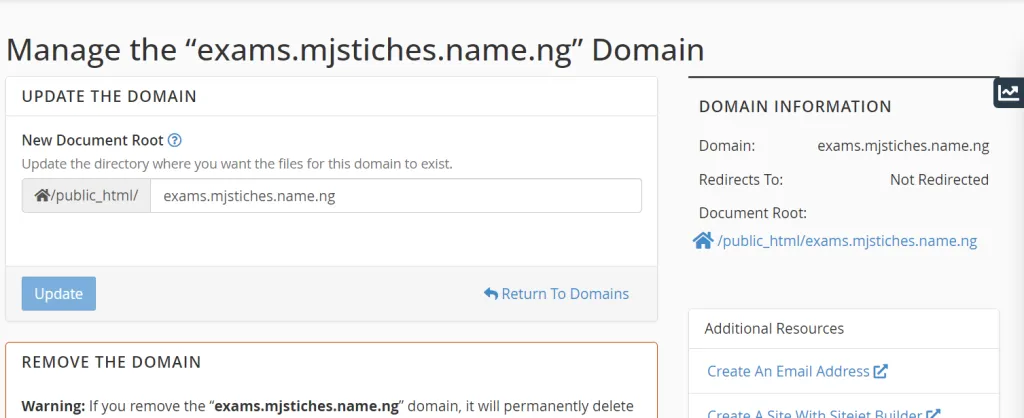
Method A: Using the DirectAdmin GUI (Simplest Approach)
If available, the GUI is the easiest method. Navigate to:
- User Level → Account Manager → Subdomain Management → sub.example.com
Find the “Document Root” or “Change Path” field (common in Evolution). Enter the new path (e.g., /home/username/domains/example.com/public_html_apps/sub) and save. DirectAdmin updates the virtual host and reloads the web server automatically. This method suits users without SSH access or those seeking simplicity. If the option is missing (e.g., in older skins), use Method B or C.
Method B: Symlink for Zero-Downtime Transition
For zero-downtime changes, use a symlink to redirect the default DocumentRoot:
mv /home/username/domains/example.com/public_html/sub /home/username/backup_sub_old_$(date +%F)
ln -s /home/username/domains/example.com/public_html_apps/sub \
/home/username/domains/example.com/public_html/sub
This backs up the original directory and links the old path to the new one. The web server serves the new directory without configuration changes, minimizing disruption. Ensure PHP’s open_basedir includes the new path (see Section 9) and verify that symlinks are allowed, as some security settings block them.
Method C: Custom Apache Virtual Host Override (Advanced)

For precise control, override the Apache virtual host:
- Admin Level → Custom HTTPD Configurations → sub.example.com
Add:
DocumentRoot “/home/username/domains/example.com/public_html_apps/sub”
<Directory “/home/username/domains/example.com/public_html_apps/sub”>
Options FollowSymLinks
AllowOverride All
Require all granted
</Directory>
Save and rebuild configurations:
cd /usr/local/directadmin/custombuild
./build rewrite_confs
Test the configuration with apachectl configtest to catch syntax errors. This method requires Admin access but offers fine-grained control.
Handling Nginx Reverse Proxy Configurations
For Nginx+Apache setups, update both layers. Set the Apache DocumentRoot via Method A or C. For Nginx, check:
- Admin Level → Custom HTTPD/Nginx Configurations → sub.example.com
Ensure the root or try_files directives match the new path. Rebuild and reload:
cd /usr/local/directadmin/custombuild
./build rewrite_confs
service nginx reload
service httpd reload
Mismatched configurations can cause 404 errors, so verify both layers align.
Updating PHP-FPM and open_basedir Settings
Update PHP’s open_basedir to include the new path:
- PHP Settings → Domain PHP Settings
Add /home/username/domains/example.com/public_html_apps/sub to the list. Alternatively, set:
php_admin_value[open_basedir] = /home/username/:/tmp/:/usr/local/lib/php/:/home/username/domains/example.com/public_html_apps/sub
Reload PHP-FPM:
systemctl reload php-fpm
Verify the service name (e.g., php81-php-fpm) to avoid errors. This prevents open_basedir restriction errors.
Fixing File Ownership and Permissions
Re-apply permissions:
chown -R username:username /home/username/domains/example.com/public_html_apps/sub
find /home/username/domains/example.com/public_html_apps/sub -type d -exec chmod 755 {} \;
find /home/username/domains/example.com/public_html_apps/sub -type f -exec chmod 644 {} \;
Avoid 777 permissions; use 775 for writeable directories (e.g., uploads) with consistent group ownership.
Preserving /.well-known for SSL/ACME Challenges
Ensure /.well-known/acme-challenge/ remains accessible for Let’s Encrypt. Method B (symlink) typically works automatically. For Method C, verify no Alias or rewrite rules block this path. Test renewals:
certbot renew –dry-run
Verifying .htaccess and Rewrite Rules
Copy the .htaccess file:
cp /home/username/backup_sub_old_$(date +%F)/.htaccess \
/home/username/domains/example.com/public_html_apps/sub/
Review rewrite rules for CMS-specific paths (e.g., WordPress, Laravel). For Nginx, convert .htaccess rules to location blocks.
Restarting Services and Clearing Caches
Apply changes:
systemctl restart httpd
systemctl reload nginx # if applicable
Clear application, PHP OPcache, and CDN caches. Verify PHP:
php -v
Testing and Rollback Plan
Test the subdomain:
- Visit http://sub.example.com and https://sub.example.com.
- Add a test file (e.g., health.html) to confirm the correct directory.
- Check headers:
curl -I https://sub.example.com
- Monitor logs:
- Apache: /var/log/httpd/domains/sub.example.com.error.log
- Nginx: /var/log/nginx/domains/sub.example.com.error.log
- PHP-FPM: /var/log/php-fpm/error.log
Rollback:
- GUI: Revert the path.
- Symlink: Remove the symlink and restore the backup.
- Vhost: Delete the override and run ./build rewrite_confs.
Updating Backups and Monitoring
Include the new DocumentRoot in backups and update monitoring tools. Document the change in your runbook, noting the method used.
Additional Considerations
Why Change the DocumentRoot?
- Isolation: Prevents app interference.
- Security: Limits cross-site access.
- Deployment: Supports zero-downtime strategies.
- Organization: Simplifies backups and CI/CD.
Zero-Downtime Deployment
Use a release structure:
/home/username/apps/subsite/
releases/
2025-09-05_1200/
2025-09-05_1400/
current -> releases/2025-09-05_1400
Update with:
ln –sfn /home/username/apps/subsite/releases/2025-09-05_1500 \
/home/username/apps/subsite/current
Security Best Practices
- Include new paths in open_basedir.
- Avoid 777 permissions.
- Ensure consistent ownership.
- Check SELinux/AppArmor settings.
Troubleshooting
- 403 Forbidden: Verify permissions and Require all granted.
- 404 Not Found: Check vhost paths and rewrites.
- 500 Internal Server Error: Inspect .htaccess or PHP extensions.
- ACME Failures: Ensure /.well-known is accessible.
A) How DirectAdmin Organizes Subdomain Paths by Default
DirectAdmin structures subdomain paths in two primary configurations, each offering distinct advantages and trade-offs for management, security, and backups. The most common is the parent domain tree, where a subdomain like sub.example.com is mapped to /home/username/domains/example.com/public_html/sub/. This places the subdomain’s files within the main domain’s public_html directory, facilitating resource sharing (e.g., databases or scripts) and streamlining backups under a single tree. It’s ideal for integrated projects, such as a blog or support portal tied to the main site, as it keeps related assets together. However, this can clutter the public_html directory, especially for complex sites, and increases the risk of cross-project interference if permissions or scripts are not tightly managed.
Alternatively, DirectAdmin may configure subdomains as separate directories, such as /home/username/domains/sub.example.com/public_html/, treating them like standalone domains. This approach enhances isolation, minimizing accidental interactions between the subdomain and main domain, and simplifies per-subdomain permissions and targeted backups. The trade-off is that sharing resources with the parent domain requires additional configuration, and backup scripts must account for multiple paths. When selecting a new DocumentRoot, keep it within /home/username/ to avoid permission issues or PHP open_basedir conflicts. For distinct applications hosted on a robust Server, the isolated directory structure is often the safer choice, offering cleaner separation and easier maintenance.
B) When Should You Change a Subdomain’s DocumentRoot?
Changing a subdomain’s DocumentRoot is a strategic decision driven by specific needs that enhance site organization, security, or deployment efficiency. Application isolation is a key motivator: separating a forum, admin panel, or e-commerce platform from the main codebase prevents unintended interactions, such as script conflicts or security vulnerabilities affecting multiple sites. Large or complex codebases, like those for frameworks such as Laravel or Magento, can overwhelm the main domain’s public_html directory. Relocating these to a dedicated path, like /home/username/domains/example.com/public_html_apps/sub, keeps the file structure organized and maintainable.
Zero-downtime deployments in CI/CD pipelines also benefit from DocumentRoot changes. By pointing the virtual host to a stable path or symlink (e.g., current linking to versioned releases), you can switch between versions seamlessly, ensuring uninterrupted user access. Similarly, migrations or major upgrades—such as transitioning to a new CMS or framework version—require a new DocumentRoot to test and deploy without affecting the live site. Finally, security and compliance needs may necessitate isolating sensitive workloads with path-specific hardening. If you’re restructuring infrastructure or adjusting services like Hosting or Domain configurations, a well-planned DocumentRoot simplifies these transitions, aligning with modern hosting practices.
C) Security Considerations (open_basedir, Permissions, Symlinks)
Security is critical when relocating a subdomain’s DocumentRoot, as missteps can expose vulnerabilities or disrupt functionality. Follow the least-privilege principle: set directories to 755 (read/execute for all, write for owner) and files to 644 (read for all, write for owner). Avoid 777 permissions, which allow world-writable access and pose significant risks. For applications requiring write access (e.g., upload or cache directories), use 775 for specific folders and ensure the group aligns with the web server or PHP-FPM user.
PHP’s open_basedir restricts script access to specified directories. After changing the DocumentRoot, update open_basedir to include the new physical path (e.g., /home/username/domains/example.com/public_html_apps/sub). For symlinked DocumentRoots, ensure the target path is included, as PHP resolves symlinks to their actual location. Some server configurations or security modules (e.g., mod_security) may block symlink following, so verify compatibility to prevent access errors. File ownership must remain consistent, with all files owned by the DirectAdmin user (username:username). Correct any root:root files, often introduced during manual uploads, using chown -R username:username. Finally, keep .htaccess or Nginx rules minimal and auditable, re-testing access controls in the new location to maintain a secure environment, especially when managing sensitive workloads on a Server.
D) Apache vs Nginx Reverse Proxy in DirectAdmin
The process for changing a DocumentRoot varies by web server stack, and understanding these differences prevents configuration mismatches. In an Apache-only setup, the DocumentRoot is defined in the virtual host configuration (e.g., /usr/local/directadmin/data/users/username/httpd.conf), and .htaccess files handle rewrites and access rules. You can update the DocumentRoot via DirectAdmin’s GUI (if available) or a custom vhost override, followed by rebuilding configurations with:
Reload Apache to apply changes (systemctl reload httpd). This ensures the new path is served correctly without disrupting other domains.
In an Nginx reverse proxy (nginx+apache) setup, Nginx handles incoming requests and proxies them to Apache, requiring synchronization between both layers. Update Apache’s DocumentRoot via the GUI or vhost override, and ensure Nginx’s configuration (e.g., /etc/nginx/domains/sub.example.com.conf) has a matching root or try_files directive pointing to the new path. After edits, rebuild and reload both services:
DirectAdmin’s CustomBuild tool ensures consistency across both layers, preventing issues like 404 errors or broken rewrites due to mismatched paths. This alignment is crucial for seamless operation in complex hosting environments like those provided by Hosting.
E) Impact on SSL/TLS & Let’s Encrypt Challenges
Relocating a subdomain’s DocumentRoot can impact SSL/TLS certificate renewals, particularly for Let’s Encrypt, which uses HTTP-01 challenges to validate domain ownership via the /.well-known/acme-challenge/ path. This path must remain accessible in the new DocumentRoot to avoid renewal failures. The symlink method typically preserves URL paths, allowing challenges to resolve to the new directory automatically. However, for GUI or custom vhost methods, ensure no Alias, rewrite rules, or .htaccess directives block or redirect /.well-known/acme-challenge/. If a CMS (e.g., WordPress) rewrites all requests to index.php, add an explicit exception for the ACME path.
To verify, run a dry-run renewal during a low-traffic period:
This simulates the renewal process, catching issues like blocked paths or misconfigured DocumentRoots. Addressing these early prevents certificate expirations, ensuring secure connections for users accessing your subdomain on a reliable Server.
F) Deployment Patterns That Make DocRoot Changes Easier
Modern deployment strategies streamline DocumentRoot changes and enable zero-downtime updates, particularly for CI/CD pipelines. A highly effective pattern is the symlink-based release structure, where the DocumentRoot points to a current symlink linked to versioned release directories:
To deploy a new version, upload files to a new release directory (e.g., releases/2025-09-05_1500), run migrations or tests, then update the symlink atomically:
The -sfn flags ensure an instant switch with no downtime, and previous releases remain available for quick rollback. Configure the DocumentRoot to point to current via the GUI, symlink method, or vhost override. This approach minimizes disruption, simplifies backups (targeting releases/ and shared writeable directories), and reduces errors during deployments. It’s particularly effective for scalable hosting environments, such as those managed through Hosting, ensuring smooth updates and reliable performance
Summary
Changing a subdomain’s DocumentRoot in DirectAdmin can be done via the GUI, symlinks, or custom vhosts. Each method requires careful planning, permission updates, and testing to ensure a smooth transition. Update PHP settings, preserve SSL functionality, and maintain backups to safeguard your environment.
Imagine you’re a small business owner scrolling through Instagram late at night. Suddenly, you see an ad for your own shop – and it clicks. Behind the scenes, one of the top 10 digital marketing companies in USA has just worked its magic. These agencies are far more than vendors; they are strategic partners that amplify your brand’s voice in the crowded digital marketplace. In this guide, we dive deep into ten standout firms – from Silicon Valley data wizards to East Coast creative gurus – each of which has helped businesses turn clicks into customers. You won’t find a dull list of names here. Instead, get ready for an engaging exploration of agencies with unique stories, winning formulas, and proven results. Let’s begin our journey through the top 10 digital marketing companies in USA, starting with a true industry legend.
Rackset – Two Decades of Digital Innovation
Rackset LLC has quietly built a powerful reputation since its founding in 2003. What began as a humble web host and design shop has evolved into a full-service digital agency, serving clients across the United States and around the globe. As one profile puts it, Rackset “boasts more than 20 years of experience in web design, IT services, SEO, and digital marketing” – a legacy that few can match. Unlike many agencies that focus on just one niche, Rackset offers everything under one roof: custom website builds, managed WordPress sites, cloud hosting, and SEO-driven marketing strategies. This broad expertise means they can guide a business from buying a domain name to powering a TikTok ad campaign seamlessly.
What truly sets Rackset apart is its longevity in a fast-changing industry. In a field where trends and technologies shift constantly, Rackset’s two-decade track record speaks to its adaptability. The company’s philosophy is simple: deliver “the best of the best,” whether that means a stunning new site or rock-solid server infrastructure. For example, their portfolio ranges from local mom-and-pop stores to international organizations, proving they can tailor creative marketing and design solutions to any client. When you work with Rackset, you get a partner that treats your website not just as an online brochure but as a strategic asset – backed by hosting and ongoing maintenance so it actually works. In short, Rackset has earned its spot among the top digital marketing companies in USA by combining deep technical know-how with a client-first approach.
read more: Website Design in Los Angeles
WebFX – The Data-Driven Powerhouse
Next up is WebFX, a name that comes up again and again on every “top agencies” list for good reason. Based in Harrisburg, Pennsylvania, WebFX has grown into a powerhouse of digital marketing talent. The firm’s mantra is that every strategy must be backed by data and deliver measurable ROI. In practice, this means their team of award-winning marketers, designers, and developers craft custom campaigns around each client’s goals. As one recent profile notes, WebFX “is one of the top full-service digital marketing agencies in the USA,” praised for building strategies focused squarely on leads and revenue. In other words, WebFX doesn’t just care about rankings or likes – they care about real business results.
What does WebFX do differently? First, they don’t believe in one-size-fits-all. Every campaign is tailored to the client’s industry, audience, and objectives. They also emphasize continuous improvement: tracking the metrics that matter and adjusting tactics on the fly. Another publication calls WebFX “a powerhouse in the domain of web design and digital marketing” and notes that they offer a full suite of services – SEO, social media, PPC and beyond. This full-service approach means a client can get everything from content marketing to paid ads all from the same team, ensuring consistency.
Over the years, WebFX has racked up awards and accolades: top rankings on Clutch, Inc. 5000, and more. They even built proprietary tech (like their MarketingCloudFX platform) to further optimize campaigns. But perhaps the best testimony is their track record: dozens of case studies detail websites that go from invisible to industry leaders after teaming up with WebFX. For businesses aiming high, WebFX is that top-tier partner – a reason they are consistently counted among the top 10 digital marketing companies in USA.
read more: Web Design Agency New York
Ignite Visibility – San Diego’s Award-Winning Growth Engine

Heading west to Southern California, Ignite Visibility stands out as an agency built on big ambitions. Founded in 2013 by industry veterans John Lincoln and Krish Coughran, this San Diego firm has become one of the most awarded digital marketing agencies in the country. In fact, sources describe Ignite as “one of the highest-awarded digital marketing agencies in the USA”. What does this mean for clients? It means Ignite has proven strategies and happy partners in just about every sector – from Tony Robbins’ events to car dealerships and cruise lines.
At its core, Ignite Visibility practices what it preaches: testing and optimizing every campaign. Their service suite covers the whole spectrum – SEO, pay-per-click ads, social media management, email campaigns, and conversion optimization. Because they were latecomers compared to some Silicon Valley firms, Ignite doubled down on innovation to stand out. Today they have offices in San Diego, San Francisco, and Seattle, and a team of over 90 in-house experts along with hundreds of freelancers. The result is that businesses of any size can tap their services. As one profile explains, Ignite “works with businesses of all sizes” and has clients like Eos Fitness and Sharp Healthcare.
What really fuels their growth is an aggressive focus on results. Ignite Visibility famously publishes transparency reports and case studies to showcase exactly how their campaigns perform. They’ve also invested in content marketing with multiple popular podcasts and blogs where CEO Lincoln shares insights. For a client, working with Ignite means partnering with an agency that treats their brand like its own – relentlessly pushing to increase traffic, leads, and sales. This commitment to measurable success and big-brand experience earns Ignite Visibility a clear place in any list of top digital marketing companies.
read more: best web Development agency in usa
SmartSites – Rapid Growth from New Jersey to National Impact
Out on the East Coast, SmartSites has its own success story. Founded in 2011 by two brothers who grew up fascinated by all things digital, this Paramus, New Jersey agency exploded in growth in just a few years. Today, SmartSites is often touted as America’s #1 digital marketing agency, with a staff of over 100 and dozens of 5-star reviews on Google and Clutch. Their claim to fame? A relentless focus on client results and a knack for retail and local businesses. According to digital agency directories, SmartSites “quickly became one of the fastest-growing digital marketing agencies in the USA”.
SmartSites’ secret sauce includes being a Google Premier Partner and a Facebook Marketing Partner, meaning they get early access to advertising features and direct support from these platforms. They also built an in-house call center to help e-commerce clients convert traffic into sales calls. Their services cover web design, SEO, PPC, and social media – basically everything a growing company might need. One highlight of SmartSites is that they lean heavily on performance: their managers set strict ROI goals for ad spend and regularly adjust campaigns to meet them. They often share case studies of clients who doubled or tripled revenue after revamping their digital strategy with SmartSites’ help.
Importantly, SmartSites prides itself on treating clients as long-term partners. Unlike smaller shops that fade away, SmartSites reinvests in technology and training. They even have an in-house creative team that produces video ads and graphics. All these efforts have paid off – SmartSites has featured in the Inc. 5000 list (fastest growing companies) three years running, and was named a Best Place to Work multiple times. For companies craving that entrepreneurial hustle and a full-service team, SmartSites often ranks among the top 10 digital marketing companies in USA worth considering.
Disruptive Advertising – The Pay-Per-Click Specialists

If “data-driven ROI” had a poster child, it might be Disruptive Advertising. Founded in 2012 and based in Utah, Disruptive made its name by specializing in paid advertising campaigns (especially Google and Facebook ads). Their philosophy is simple: every ad should be highly targeted and constantly optimized. An industry profile notes they are “a top pay per click agency” dedicated to helping businesses “optimize their ad spend for maximum impact”. That laser focus on performance sets them apart.
In practice, Disruptive Advertising acts like an extension of their clients’ teams. They begin by auditing where the client is losing money – perhaps costly ads or wasted clicks – and then rework everything. It’s not unusual for Disruptive to raise a client’s conversion rate by 2x or more within a few months. They also emphasize transparency: clients get detailed dashboards and weekly calls so everyone knows exactly how much they’re spending and what it’s earning back.
Though PPC is their bread and butter, Disruptive’s services have expanded over time. They now offer everything from SEO to email marketing, but with the same data-driven mindset. They even build custom tools (like a proprietary algorithm for ad bidding) to stay ahead. Forbes named them one of the top places to work in Utah thanks to their culture of analysis and accountability. For companies that prioritize paid ads and want a quant-oriented partner, Disruptive Advertising consistently appears on “best of” agency lists for U.S. firms – and rightly so, given their track record of scaling ad budgets into real growth.
Thrive Internet Marketing Agency – The Texan All-Rounder

Venturing down to Austin and Dallas, Thrive Internet Marketing Agency (often just called Thrive) is another heavyweight. Founded in 2005, Thrive has built a reputation on providing holistic digital marketing solutions. They pride themselves on understanding the client’s entire business, not just one channel. For instance, Thrive’s team has managed integrated campaigns where content marketing, SEO, and social ads all work in concert. According to recent write-ups, Thrive “offers everything from SEO content writing services to social media management” and crafts personalized strategies for each client.
In practical terms, that means Thrive assigns a dedicated team to each client: a project manager, an SEO specialist, a content writer, a designer, etc., all focused on the same goals. Their clients range from small online retailers to mid-sized enterprises. One key reason Thrive ranks among top U.S. agencies is their track record with consumer-facing companies (retail, travel, home services) where building trust through content and social proof is crucial. They’ve won awards from Google and LinkedIn for campaigns that boost traffic and leads.
Moreover, Thrive knows that no two businesses are alike. Early in the process, they’ll do market research to see what competitors are doing, what keywords are valuable, and what marketing messages resonate. Then they create a “thrive roadmap” for growth. Everything is documented and reported – clients can literally see which blog posts or social ads brought in sales. This consultative, accountable approach is why a small startup in Austin or a family-run store in Houston might pick Thrive over a big-brand agency. It’s also why Thrive often makes the cut when people search “top 10 digital marketing companies in USA” – they represent the Texas rise of multi-channel marketing done right.
KlientBoost – Conversion Wizards in California
Heading back to the West Coast, KlientBoost brings a Silicon Valley vibe to the list. Founded in 2015 in southern California, KlientBoost made a name by focusing on one thing: turning clicks into customers. They started purely as PPC (pay-per-click) and conversion rate optimization experts, and their early clients included tech startups that needed fast growth. As one source explains, KlientBoost “specializes in paid advertising and pay per click campaigns,” emphasizing a performance-driven approach and constant conversion optimization.
What does that look like day-to-day? KlientBoost is famous for rapidly testing ad variations. They might run dozens of Facebook ads or Google text ads in parallel to see which one resonates best with the target audience. They also redesign landing pages at lightning speed to improve the chances that an ad click turns into a form submission or sale. Importantly, their team is cross-functional: account managers work alongside designers and copywriters and share all the same OKRs (objectives and key results). This agile “sprint” approach means a client sees changes and improvements each week, not months.
Despite their hardcore focus on performance, KlientBoost also stresses creativity. They are known to shake up stale industries (like home services or e-commerce) with unexpected ad angles and lively designs. For instance, they once boosted a roofing company’s leads by running quirky video ads instead of the usual boring banner. All this has won KlientBoost a loyal following among tech companies and bold entrepreneurs. While their team is smaller than some full-service shops, their niche expertise means KlientBoost often makes waves on annual “top digital marketing companies” lists, especially for clients who demand aggressive growth through ads.
LYFE Marketing – Atlanta’s Social Media Maestros
In Atlanta, LYFE Marketing is carving out a space as the go-to agency for social media and small-business marketing. Founded in 2012, LYFE found its niche helping businesses with limited budgets leverage platforms like Facebook, Instagram, and YouTube. A recent profile captures their strength succinctly: “LYFE Marketing offers a comprehensive range of digital marketing services with a focus on social media marketing services”. In practice, this means they craft and manage ad campaigns, organic content calendars, and influencer partnerships tailored to each client’s audience.
What makes LYFE special is how they bundle personal touch with analytics. Many Atlanta-area businesses (restaurants, boutiques, local gyms) rave about how LYFE responds quickly and adjusts campaigns weekly. Yet even for these smaller clients, LYFE provides dashboards showing where every dollar is spent and what returns it yields. Beyond social, they also provide email marketing and basic SEO, but always keeping social campaigns at the center. It’s fair to say LYFE plays in the “engine room” of marketing: the actual posting, targeting, and tweaking that keeps brands visible.
LYFE’s success is reflected in their case studies: clients often report 200–400% increases in engagement and double-digit boosts in revenue after a few months of LYFE’s guidance. They’ve earned Top Workplaces awards in Atlanta and high ratings on review sites. For any Atlanta-based company or any U.S. small business focused on Facebook and Instagram ads, LYFE Marketing routinely appears on recommended lists. In the landscape of the top 10 digital marketing companies in USA, they represent the specialist who knows social media inside and out.
NinjaPromo – Creative Campaigns from the West Coast
From the Pacific Northwest to L.A., NinjaPromo rounds out our list with a flair for creativity. This agency, founded by two former IBM marketers, quickly gained attention for its “out-of-the-box” strategies. A tech editorial describes NinjaPromo as “a dynamic digital marketing agency known for its creative solutions and effective digital marketing strategies” In concrete terms, NinjaPromo specializes in social media advertising, email campaigns, and even Twitch sponsorships – anything that will capture the modern consumer’s attention.
NinjaPromo’s style can be quirky. They often use bold visuals or humor to make ads memorable. One success story: they helped a national nonprofit dramatically increase donations by producing a viral challenge campaign. Another: they revitalized a well-known vitamin brand by launching influencer-led TikTok ads. Even though they are smaller than some giants, NinjaPromo’s knack for trending content means they punch above their weight.
Clients say working with NinjaPromo feels like having an in-house creative team. The agency prides itself on fast turnarounds and regular brainstorm sessions. For example, they’ll draft five alternative ad designs in a day and test them live on social platforms. This hands-on, experimental approach, combined with solid analytics, ensures that campaigns don’t just look cool – they perform well. In summary, NinjaPromo represents the creative edge among America’s top marketing firms. If your brand needs a spark that cuts through the noise, this is a company you’d expect to see featured in any “top 10 digital marketing companies in USA” lineup.
Digital Silk – Award-Winning Growth Partners
Last but not least, Digital Silk offers something different: a focus on brand and user experience. Founded relatively recently in 2019 by Gabriel Shaoolian, Digital Silk has already made a name for itself in the competitive agency world. With offices in New York and Florida, they tackle web design, branding, and marketing under one roof. Their website says they “provide full-service web designing” and “custom solutions that grow brands online” for everyone from startups to Fortune 500 companies.
What’s striking about Digital Silk is how many big-brand names they’ve landed in such a short time. Their client list includes heavyweights like Sony, Northwestern University, Procter & Gamble, and Xerox. Landing such brands usually takes years, which speaks to Digital Silk’s talent for high-end design and strategic marketing. The agency’s style leans on sleek, user-focused websites combined with sharp digital campaigns. For example, they might redesign a company’s website for mobile-first users, then run A/B tests to see which layout converts more visitors into sign-ups.
In terms of recognition, Digital Silk has earned several creative awards (Telly, MarCom, etc.), highlighting their design chops. They strike a balance between technology and creativity: the founder’s background in engineering means they deliver cutting-edge tech (think interactive web features), while their creative team ensures every site and campaign looks modern and engaging. As a newer agency, they may not have the decades-long résumé of others, but they more than make up for it with big wins and a fresh perspective. That’s why Digital Silk often shows up on lists of fast-growing marketing agencies in the USA, and it earns them a spot among our top 10 picks this year.
The Hallmarks of a Top Digital Agency

Though our list covers a diverse group—from full-stack giants to focused creatives—several common threads emerge. The best digital marketing companies in USA share an unwavering focus on results, a willingness to innovate, and the ability to tailor strategies to each client’s needs. They also stay ahead of trends: whether it’s leveraging generative AI, building interactive TikTok campaigns, or optimizing for voice search, these agencies ensure their clients don’t fall behind. In essence, choosing one of these top 10 digital marketing companies means partnering with experts who act like extensions of your own team.
At the end of the day, what sets these agencies apart isn’t just their service list, but the story each one tells and the success each one drives. Whether it’s Rackset’s story of two decades of evolution, Ignite Visibility’s trophy cases filled with awards, or NinjaPromo’s viral stunts , there’s a human touch behind every campaign. These firms understand that behind every brand are real people—and their own passion and creativity show through in the results.
So when businesses across the nation ask, “Who are the top 10 digital marketing companies in USA?” now you know why these names keep coming up. They blend data and imagination, strategy and service, to push brands forward. If your company is ready to boost its online presence, any of the agencies above would be a strong place to start. After all, in the digital age, the right partner can transform your website into a bustling virtual storefront – and these agencies have the proven track record to make it happen.
Sources: All information above is drawn from industry reports and company profiles (see citations). For instance, Rackset’s longevity and services are detailed on its website, while agency rankings and descriptions are confirmed by third-party profiles on Tech-Beta and IIDE. Each company’s summary here synthesizes those published insights with real-world context.
Your domain name is more than just a web address; it’s the first impression your audience gets of your brand. Whether you’re launching a new startup in Dubai or expanding your business worldwide, choosing the right domain extension can set you apart from the competition. The question is: should you stick with the globally recognized .com, or go for the locally trusted .ae?
The decision isn’t as simple as picking what “sounds good.” Your domain extension can impact your SEO, your brand’s credibility, and even your customers’ trust. For businesses in the UAE, this choice is especially critical. A .ae domain tells your audience you’re local and relevant, while a .com domain signals you’re aiming for international reach. Get this right, and your domain could become one of your strongest marketing assets.
Ready to secure a domain that builds your brand and drives traffic? Don’t wait until your perfect name is taken. Whether you choose .ae or .com, the first step is to register your domain now and claim your online space today. Your brand’s success starts with the right web address let’s make sure you get it.
Understanding the Basics of Domain Extensions
Domain extensions are more than just a few letters at the end of your web address; they play a key role in defining your brand’s identity and reach. A domain extension, also known as a top-level domain (TLD), indicates the type of website or its geographic association. Choosing the right extension can impact how easily your site is found, how trustworthy it appears, and who it resonates with.
For businesses looking to establish a strong online presence, understanding the difference between global and country-specific domains is crucial. In the UAE, the decision often comes down to two popular choices: the well-known .com and the locally relevant .ae. Each has its strengths, and knowing how they work can help you make the best choice for your goals.
What Is a .com Domain and Why It’s So Popular?
The .com domain is the most recognized and widely used domain extension in the world. Created for commercial entities, it has since become the go-to option for businesses, bloggers, e-commerce stores, and personal websites alike. When people think of a website, they often instinctively assume it ends in .com which is the level of familiarity and trust it commands.
One of the biggest reasons for its popularity is its universality. A .com domain doesn’t limit you to a specific region or audience. Whether you’re targeting customers in Europe, Asia, or North America, a .com domain instantly signals professionalism and reliability. It’s also an asset for search engine optimization (SEO), as search engines treat it as a neutral, globally relevant extension.
Another advantage of .com is credibility. Many users perceive websites with .com domains as established and trustworthy, which can improve click-through rates and customer confidence. However, because it’s so widely used, finding an available and short .com name can be challenging, often requiring creativity or investment in premium domains.
What Does a .ae Domain Represent for UAE Businesses?
The .ae domain is the official country-code top-level domain (ccTLD) for the United Arab Emirates. It’s an excellent choice for businesses that want to establish a strong local presence, appeal to UAE customers, or show commitment to the regional market. When users see a .ae domain, they immediately recognize that the brand is local, trustworthy, and relevant to their needs.
From an SEO perspective, .ae offers a valuable advantage. Search engines prioritize ccTLDs when delivering local search results, meaning websites with .ae are more likely to rank higher for UAE-based searches. For example, if someone in Dubai searches for “best online store UAE,” a .ae site can have a competitive edge over a .com.
Additionally, a .ae domain can enhance your brand’s authenticity and build stronger connections with local customers. It signals that you understand and cater to the UAE market. Another benefit is availability: since .ae domains are less saturated than .com, it’s easier to secure a shorter or more brand-specific name. Businesses aiming to grow within the UAE or the Middle East often use .ae to highlight their regional focus while still maintaining global ambitions through other channels.
Key Differences Between .com and .ae
When choosing between a .com and a .ae domain, it’s essential to understand how each ext
ension influences your online presence. While both can serve as a foundation for a professional website, their impact on branding, audience targeting, SEO, and even availability is quite different. By comparing these factors, you can make a decision that aligns with your business goals.
Global vs. Local Reach
The most obvious difference between .com and .ae is the audience they’re designed to serve. A .com domain has no geographic limits. It’s perfect for businesses with international ambitions or those targeting audiences across multiple regions. Customers worldwide recognize .com as a trusted and professional extension, making it ideal for e-commerce, global brands, and companies expanding beyond borders.
In contrast, a .ae domain instantly signals a connection to the United Arab Emirates. This local focus helps businesses stand out to UAE-based customers, boosting trust and engagement. For restaurants, retail stores, service providers, or startups operating in Dubai or Abu Dhabi, .ae can create a sense of familiarity and relevance. It also reassures local audiences that the business understands their needs and operates within their market.
SEO Impact – International Rankings vs. Local Search Visibility
Search engines like Google treat top-level domains differently when determining which sites to show for certain audiences. A .com domain is considered neutral, which means it doesn’t give a boost for any specific country. This works well if your goal is to attract traffic from multiple locations or rank for keywords on a global scale.
On the other hand, a .ae domain has a clear advantage for local search. It tells search engines your website is relevant to the UAE, which can help improve rankings for searches conducted in that region. This geo-targeting factor is crucial for businesses whose customers are primarily in the UAE. If your focus is local visibility and capturing regional market share, .ae can give you an edge that .com cannot.
Trust and Brand Perception
Perception is everything online. Users often associate a .com domain with established, professional brands. It’s been around for decades and has become the default in most users’ minds. For many, a .com site signals stability and reliability, making it a safe bet for businesses that want to project authority.
However, trust can also be local. A .ae domain may not have the same global recognition, but within the UAE, it offers credibility and relevance. Seeing .ae at the end of a web address reassures local customers that the business is rooted in their market. For companies focused on building regional trust, this local identity can be more valuable than international appeal.
Cost and Availability
When choosing between .com and .ae, pricing and availability can play a big role in your decision. Both domains are affordable in the grand scheme of launching a business, but their costs and the chances of finding your perfect name vary. Understanding these factors upfront can save you time, money, and frustration.
And when you’re ready to secure your name, Rackset makes registering your domain easy and secure. Claim your unique domain name with ease and speed!
Price Comparison .com vs. .ae
A .com domain is generally budget-friendly, often starting around USD $10–$20 per year, though premium names can cost much more. This makes it accessible for startups and individuals, but keep in mind that competition is fierce and shorter names are usually taken.
On the other hand, a .ae domain tends to be slightly more expensive, often ranging from AED 100–130 (roughly USD $27–$35) per year. While that’s still affordable for most businesses, it’s considered a premium choice for those focusing on the UAE market. The higher price tag comes with the benefit of better availability and local trust.
Whether you choose a global option or stay local, Rackset can help streamline the process. We even make Domain Transfers Conveniently—move your domain seamlessly with zero hassle!
Domain Name Availability and Competition
One of the biggest challenges with .com is availability. Because it’s the oldest and most widely used domain extension, many short, memorable names have already been claimed. You might need to get creative, add keywords, or purchase from a domain reseller if your first choice is taken.
The .ae domain has far fewer registrations, giving you a better chance of securing the name you really want. This makes it especially attractive for new businesses or brands expanding into the UAE. Having a shorter, cleaner domain can also make your website easier to remember and share.
Protecting your name and building trust is essential, no matter which extension you choose. Boost your credibility with Rackset’s SSL Certificate – enhance security and reassure your visitors with a premium certificate.
Branding and Trust Factors
Branding is all about perception, and your domain extension plays a bigger role than many realize. It’s often the first thing people notice when they find you online, and it can shape their opinion about your credibility and professionalism.
A .com domain has been around for decades and is globally recognized as the gold standard. Visitors often associate it with authority, stability, and trustworthiness. For international brands or businesses that want to project a polished, professional image, .com remains the top choice. It’s also easier to remember, making it great for word-of-mouth referrals and marketing campaigns.
But in the UAE, local trust matters. A .ae domain shows customers that you’re rooted in their market, which can make your brand feel closer and more reliable. Seeing a .ae extension can boost click-through rates and build confidence among UAE-based users. Combine this with Rackset’s SSL Certificate to take your credibility to the next level – boost trust and security with our premium SSL certificates.
How Users Perceive .com vs. .ae
Online behavior shows that users are more likely to trust what feels relevant to them. A .com site might seem distant to someone looking for a local service in Dubai, while a .ae site can create an immediate connection. This subtle psychological edge can increase engagement and conversions.
Whether your audience is local or global, the key is consistency. Use your domain extension to reinforce your message. Pair it with strong branding, clear messaging, and secure browsing to stand out from the competition. Rackset offers fast Domain Registration and smooth Domain Transfers, to conveniently keep your brand cohesive and trustworthy.
Target Audience and Business Goals
Your domain extension should align with who you’re trying to reach and what you want to achieve. Knowing your audience’s expectations and preferences will help you choose wisely between .com and .ae.
If your ambitions are global, .com is often the better option. It’s versatile, works in any market, and supports international expansion. For example, an eCommerce store shipping worldwide or a SaaS company targeting multiple countries will benefit from the universal appeal of .com.
If your business is focused on the UAE, .ae can help you resonate with local customers and rank higher in regional search results. It shows commitment to the market and helps you build trust faster. Startups, local shops, and service providers often see stronger results with .ae because it feels closer to home.
Whatever your direction, make sure your domain strategy supports your bigger picture. Rackset’s tools, from quick Domain Registration to SSL Certificate setup, give you everything you need to claim your space online and connect with your audience effectively.
Technical and Legal Aspects
When building your online presence, there’s more to think about than just a catchy name. Technical factors like hosting, SSL, and email setup can impact site performance and security, while legal requirements can affect eligibility and ownership.
For .com domains, the technical side is straightforward: any hosting provider can accommodate them, and there are no geographic restrictions. Email services and SSL integration are seamless, making it easy for businesses to get up and running quickly. Rackset’s SSL Certificate is a simple way to boost trust and security – a must-have for any serious website.
For .ae domains, the technical setup is similar, but there can be some legal considerations. While the .ae extension is now open to anyone, some businesses prefer to show a local trade license to enhance credibility. Certain government or education-related subdomains (like .gov.ae or .edu.ae) require official permissions. It’s wise to confirm that your desired name meets UAE regulations, especially if it ties to a protected industry. Rackset’s Domain Transfers convenient, and registration services ensure a smooth process, no matter your business type.
Hosting, SSL, and Email Considerations
Whether you choose .com or .ae, your website’s performance and security depend on the right infrastructure. Hosting on reliable servers ensures fast loading times, while SSL certificates protect user data and increase trust. A branded email (e.g., info@yourcompany.com
) also signals professionalism.
Rackset offers everything you need in one place: quick Domain Registration, secure hosting, and premium SSL certificates to keep your website trustworthy and compliant. A secure, professional setup not only improves user experience but also supports your SEO and marketing goals.
Future-Proofing Your Online Presence
Choosing the right domain isn’t just about today – it’s about tomorrow too. Trends change, competitors emerge, and your brand may grow beyond your current market. The best domain strategy is one that protects your domain name, supports expansion, and minimizes future headaches.
One smart move is to secure both .com and .ae if they’re available. This prevents competitors from using your name and gives you flexibility if your business grows beyond its initial focus. Even if you start with one extension, owning both strengthens your brand and protects your intellectual property.
Another tip: keep your domain active and renew it on time. Losing a domain can be costly and damaging to your reputation. With Rackset, you can manage everything in one dashboard – from Domain Registration to SSL Certificate renewals, ensuring your online identity stays safe.
Final Recommendations and Action Plan
At the end of the day, your domain extension is more than just a technical choice – it’s a branding and marketing decision that can influence how customers perceive and find you online. .com remains the universal choice for businesses aiming for international reach, while .AE offers a powerful advantage for companies focused on the UAE market. Both have their strengths, and in many cases, securing both can be the smartest move for protecting your brand and maximizing your opportunities.
To choose the right domain, start by asking: Who is my audience? Where do I want my business to grow? If your focus is local and you want to build trust in the UAE, .ae is the way to go. If you’re thinking globally or have plans to expand, .com is still the gold standard. Whatever you decide, your success starts with securing the right name before someone else does.
Ready to make your move? Don’t let the perfect domain slip away. Claim your spot online today with Rackset. Whether you need Domain Registration, Domain Transfers Conveniently, or a premium SSL Certificate, we’ve got everything you need to build trust and grow. Register your domain now
and take the first step toward a stronger online brand.
Frequently Asked Questions

Website design in Los Angeles isn’t just about making a site look pretty – it’s about channeling the city’s unique blend of creativity, innovation, and diversity into every digital experience. Imagine strolling along the buzzing streets of downtown LA or the sun-soaked boardwalks of Venice Beach, and then translating that energy into a website. That’s the challenge and thrill of creating websites in the City of Angels. In Los Angeles, a website often feels like a living, breathing part of the business: it has to be as vibrant and engaging as an artist’s mural in the Arts District, yet as technically sound as a startup pitch in Silicon Beach.
In a city known for bold dreams, creative expression, and limitless possibilities, web design takes on a special role. Los Angeles is home to world-famous entertainment studios, a booming tech startup scene, fashion powerhouses, and a melting pot of cultures. Each of these elements influences what a website needs to do. A film studio’s site might need to feel cinematic and dramatic; a tech company’s site must be cutting-edge and user-friendly; a local restaurant’s site should capture the flavor of LA’s diverse food scene. And across the board, there’s one constant: competition. With millions of residents and businesses vying for attention, a website in Los Angeles has to stand out from the crowd. It needs to load fast (because who’s going to wait in LA traffic, even online?), look stunning, tell a story, and deliver exactly what users need – all at once.
This comprehensive guide will explore what makes Los Angeles web design truly one-of-a-kind. From Hollywood’s influence on visuals and storytelling, to the Silicon Beach tech boom driving innovation, to the importance of designing for a diverse audience, we’ll dive into every aspect of building a compelling website in LA. We’ll also look at the latest design trends shaping sites in this city and why quality web design is more crucial here than perhaps anywhere else. Whether you’re a local business owner looking to create a site that captures LA’s essence, or a designer seeking inspiration from the Los Angeles vibe, read on to learn how to craft digital experiences that shine in this creative capital.
The Unique Digital Landscape of Los Angeles

Los Angeles’s digital landscape reflects the city’s eclectic character. This metropolis isn’t dominated by a single industry or style – it’s a place where a trendy fashion boutique, a cutting-edge tech startup, a film production house, and a taco truck might all be neighbors. In fact, Los Angeles is the world’s premier center for entertainment while also a tour de force in tourism, international trade, digital media, technology, fashion and the arts. This diversification means a web designer in LA might be crafting a high-gloss website for a movie premiere one week, and a sleek e-commerce site for a local streetwear brand the next. The common thread is creativity and high expectations.
read more: best digital marketing agency in dubai
Crucially, Los Angeles is a trendsetter. As a hub for entertainment, fashion, and technology, LA is often at the forefront of web design innovation. Trends that emerge in Los Angeles – whether it’s a bold new visual style or an interactive feature – tend to ripple out to the broader design world. The city’s businesses know this, and they often want their websites to not just follow trends but set them. An LA art gallery might demand an avant-garde, immersive site experience that you wouldn’t see elsewhere. A health & wellness startup in Santa Monica could insist on incorporating the latest in user interface (UI) animations to stand out. Simply put, “good enough” isn’t good enough in Los Angeles.
Another defining aspect of LA’s web landscape is the sheer scale and competition. With nearly 4 million residents in the city and about 10 million in the county, the online audience is massive. And every niche is filled with options – from dozens of taco spots vying for your lunch money to countless tech firms pitching the next big app. Los Angeles is a sprawling city with a highly competitive business environment, which means that businesses fight for every inch of attention they can get. A website often serves as the first (and maybe only) impression to win over a customer. If your site doesn’t catch eyes and deliver value immediately, an Angeleno user will quickly move on to a competitor.
All of this creates a unique pressure cooker for website design in Los Angeles. On one hand, there’s limitless inspiration: the artistry of Hollywood, the innovation of Silicon Beach, the cultural riches of countless communities. On the other hand, there’s intense pressure to be exceptional: to create a site that is not only visually stunning but also fast, user-friendly, and tailored to a savvy, diverse audience. The result? A digital landscape where the bar for quality is sky-high, and where a well-designed website isn’t just a nice-to-have – it’s an essential tool for survival and success in LA’s dynamic economy.
Hollywood’s Influence on Los Angeles Web Design

It’s no surprise that in the entertainment capital of the world, a flair for drama and storytelling finds its way into web design. Hollywood’s influence on Los Angeles websites is apparent in their visual richness and narrative approach. In a city that lives and breathes film, music, and storytelling, many websites are designed to feel like a cinematic experience rather than just pages of text.
Think about a film studio’s official movie site or a new streaming series landing page: visitors might be greeted by an autoplay background video clip or a fullscreen trailer that instantly sets the mood. High-resolution imagery, dynamic slideshows, and even interactive mini-games have been used to promote films and TV shows online – all techniques born from the idea of giving the audience an experience, not just information. The goal is to evoke emotion and curiosity, much like a movie teaser would. Multimedia elements play a crucial role in these sites – from videos and animations to interactive infographics – creating a memorable, immersive atmosphere.
read more: Best eCommerce Web Development Company Dubai
Beyond the entertainment industry’s own websites, the Hollywood mindset spills over into other local businesses’ design philosophies. Los Angeles brands often use storytelling in web design as a way to connect with audiences. This might mean structuring a homepage like a narrative: introducing a “character” (the brand or founder), building a storyline (the mission or history), and delivering a climax (perhaps a powerful testimonial or video) that persuades the visitor. Scrolling through such a site can feel like watching a story unfold scene by scene. Web designers in LA frequently employ techniques like parallax scrolling, micro-interactions, and animated transitions to make content more engaging – much like special effects on a screen – thereby conveying compelling brand narratives.
The emphasis on high production value is another Hollywood fingerprint on LA web design. Just as moviegoers expect polished visuals and sound, web users in Los Angeles have come to expect a level of polish on local websites. Poor-quality images or clunky layouts stand out in a bad way when your audience is used to the slick graphics of blockbuster movie promos and the sleek interfaces of top-tier entertainment apps. Many LA-based companies invest in custom photography, videography, or even augmented reality features for their sites, ensuring that the online experience is as visually stunning as a premiere on the red carpet.
In essence, Hollywood has taught Los Angeles one big lesson that applies to web design: engage your audience. Whether you’re telling a story, showing off arresting visuals, or surprising users with interactive elements, the aim is to captivate. A website in LA often aims to be not just a brochure, but a performance – one that leaves a lasting impression on its audience, just like a great film or concert would.
The Silicon Beach Tech Boom and Web Innovation

Los Angeles isn’t all about movies and music – it’s also a rising star in the tech world. Over the past decade, the city has earned the nickname “Silicon Beach”, representing the concentration of tech startups and innovators particularly around the coastal neighborhoods of Santa Monica, Venice, and Playa Vista. The tech boom here has been impossible to ignore: by 2024, LA’s startup ecosystem was ranked #3 in the U.S. (and #4 globally) in strength, with over 500 venture capital firms fueling new enterprises. Companies born in Los Angeles – from social media and dating apps to cutting-edge gaming and clean technology firms – are making waves worldwide. This surge of digital entrepreneurship has profoundly influenced website design in Los Angeles, pushing it toward more innovative, user-centered frontiers.
In the Silicon Beach era, many websites coming out of LA have a distinctly modern, startup-savvy aesthetic. You’ll notice a trend toward clean, streamlined layouts with intuitive navigation – a style that reflects the tech industry’s focus on usability and function. Startups typically operate with lean teams and agile philosophies, so their websites often emphasize clarity of message (“Here’s our product, here’s why it’s great”) and conversion-oriented design (strong calls-to-action, sign-up forms, etc.) in a no-nonsense way. The flashy flourishes of Hollywood might not suit a scrappy fintech startup, for instance. Instead, that startup’s site may opt for a minimalist design with crisp typography and plenty of white space, echoing the design ethos of Silicon Valley while still adding a bit of LA flair in the form of vibrant imagery or witty copy.
Another hallmark of tech-influenced web design is performance and responsiveness. Los Angeles tech users expect sites and apps to be fast and hiccup-free – the competition from so many app developers and SaaS companies means user experience (UX) must be top-notch. Local designers are well-versed in the latest web technologies: think progressive web apps, single-page application frameworks, and responsive design techniques that ensure a site looks and works perfectly on any device. Many of these designers collaborate closely with developers (sometimes they are the developers) in the startup scene, which means they build with a deep understanding of coding, site speed optimization, and iterative testing. In practice, a Silicon Beach e-commerce site or mobile app landing page is likely to be mobile-first, optimized for quick loading, and tested for user engagement metrics from the get-go.
The tech boom has also encouraged experimentation in LA web design. With startups exploring new frontiers like virtual reality, augmented reality, and artificial intelligence, some forward-thinking websites in Los Angeles are beginning to incorporate these elements. For example, an architecture firm’s website might include an AR feature to preview building designs, or a local ecommerce boutique might use AI-driven personalization to recommend products on its site. Web design meetups and tech conferences in LA (often hosted in trendy co-working spaces or at events like the Silicon Beach Fest) buzz with talk of integrating voice user interfaces or the next immersive web experience. In such a fertile environment, designers are constantly learning and pushing boundaries, ensuring that website design in Los Angeles stays on the cutting edge of what’s possible on the web.
Ultimately, the influence of Silicon Beach has instilled a mindset in the LA web design community: innovate, iterate, and put the user first. This doesn’t replace LA’s creative soul – rather, it complements it. A perfect Los Angeles website might marry the creativity of Hollywood with the clean functionality of high-tech, resulting in an experience that’s both delightful and impeccably efficient.
Designing for LA’s Diverse and Dynamic Audience
One walk through Los Angeles and you’ll hear a symphony of languages, see an array of faces from around the world, and experience a mix of cultures unlike anywhere else. The same holds true online: Los Angeles has no single majority culture – people from more than 140 countries speaking over 224 different languages call it home. This diversity is a beautiful strength of the city, but it also means that websites in LA must cast a wide net. Effective web design here involves a keen awareness of cultural nuances and a commitment to inclusivity.
For starters, multilingual content is often a consideration. A significant portion of Angelenos speak Spanish as a first or second language, so many local businesses ensure their websites have at least English and Spanish options. It’s not unusual to see a language toggle on a Los Angeles website, or even separate sites for English, Spanish, and sometimes Chinese or Korean, depending on the clientele. Even when a full translation isn’t feasible, smart design choices can bridge gaps – using universally understood icons, avoiding idiomatic expressions that might confuse non-native speakers, and featuring imagery that represents the community’s mix of ethnicities and lifestyles. When a website’s look and feel resonate with a broad audience, users notice. They feel “this brand is for someone like me.” In LA’s diverse market, that sense of belonging can make all the difference.
Cultural sensitivity in design goes beyond language. Colors, symbols, and content have different meanings to different groups. A web designer in Los Angeles might need to be mindful that a color considered lucky in one culture might signify mourning in another, or that certain images or hand gestures could carry unintended connotations. The cosmopolitan audience in LA is savvy – they will pick up on tokenism or stereotypes quickly. Therefore, authenticity is key. Many LA businesses engage with their local communities and feature real stories or testimonials from customers of various backgrounds on their sites. This not only builds trust but also celebrates the city’s mosaic of cultures in a genuine way.
Another aspect of designing for a dynamic audience is accessibility. Los Angeles has a progressive, inclusive spirit, and there’s growing awareness that websites need to be usable by people of all abilities. From a practical standpoint, compliance with accessibility standards (like providing alt text for images, captions for videos, and ensuring sites work with screen readers) is increasingly seen as non-negotiable. But in LA, it also aligns with the values of inclusivity and equal access. A well-designed Los Angeles website strives to welcome everyone – whether it’s a senior citizen with limited eyesight booking a tour of a museum online, or a student with hearing impairment looking at a local university’s program info. Designing with these users in mind from the start means considering color contrast, font legibility, keyboard navigation, and more, so no one is left out.
Finally, let’s not forget that LA’s audience isn’t just locals – it’s the world. Los Angeles is a massive tourist destination and a global city. Millions of visitors (nearly 50 million in a normal year) come through for business or pleasure, and often their first interaction with an LA attraction or service is via its website. Whether it’s an Australian family researching Disneyland tickets or a tech entrepreneur from Europe signing up for an LA conference, the website needs to communicate clearly across cultural lines. Fast-loading, straightforward design helps here, as does providing essential info in an easily digestible format (and again, possibly in multiple languages or at least with intuitive visuals).
In summary, designing for Los Angeles means designing for everyone. The more a website feels welcoming and usable to people from different walks of life, the more it reflects the inclusive ethos of the city. From multilingual support to culturally aware design choices and solid accessibility, an LA website succeeds when it makes each user feel like it was made just for them.
Local Branding: Bringing the Los Angeles Vibe to the Web

For businesses in Los Angeles, a website isn’t just a digital brochure – it’s an extension of their local identity. Capturing the LA vibe online can make a website immediately resonate with the city’s residents. This goes beyond slapping a photo of the Hollywood Sign on the homepage (though sometimes that doesn’t hurt!). It’s about weaving in elements that Angelenos intuitively recognize and appreciate, while also signaling to outsiders what the brand’s all about.
One way to infuse local flavor is through imagery and design elements. Los Angeles offers no shortage of iconic visuals: golden beaches with swaying palm trees, neon art-deco signs downtown, colorful murals in the Arts District, the silhouette of the Griffith Observatory against a sunset sky. Savvy web designers incorporate such imagery or color palettes that evoke the local environment. A trendy coffee shop in Silver Lake, for example, might feature a stylized graphic of the LA skyline or use a sunny color scheme reminiscent of California daylight. A surf school in Malibu could design their site with wave-like shapes and a cool blue palette that instantly gives a beachy, laid-back feel. These touches create an instant connection — a local visitor might think “Hey, I know that view!” and a visitor from afar gets a taste of what Los Angeles feels like.
Tone and content also play a big role. Many LA businesses take pride in their roots, and their web content reflects it. They might pepper in references to neighborhoods (“Serving fresh brews in Echo Park since 2010”) or use a conversational, friendly tone that matches the Southern California easygoing style. This humanizes the brand and appeals to the community spirit. Featuring local customer testimonials (“An Angeleno’s favorite!”, “Best tacos east of the LA River!”) or highlighting involvement in local events (like sponsoring a film festival or a beach clean-up) can further reinforce that a business is embedded in the community. Web design elements like an embedded Instagram feed showing real snapshots from around LA, or a blog section that covers local lifestyle topics, can help turn a website into a virtual neighborhood hub rather than just a static page.
From an SEO and functionality perspective, designing with local users in mind also means making essential local information prominent. Los Angeles is a sprawling city — someone might be on a road trip from Santa Monica to Pasadena when they search for your business on their phone. You want to ensure that when they land on your site, your location and how to reach you are crystal clear. This is why LA websites often feature things like an interactive Google Map embed, clearly displayed addresses (with neighborhood names, since locals navigate by neighborhood a lot), and mobile-friendly contact buttons (one tap to call an Uber to your store, or to call your office). Given LA’s notorious traffic, users value efficiency: if your website can quickly tell them “We’re nearby, open until 9pm, and here’s how to get here without hassle,” you’ve scored major points.
Additionally, local SEO strategies are usually baked into the web design. This might not be visible on the surface, but it’s vital behind the scenes. Designers will collaborate on incorporating location-based keywords (like “best vegan sushi in Los Angeles” or “Hollywood acting classes”) into site content and meta tags, structuring content so that search engines connect the business to the LA area. Some sites even have dedicated pages for different locations or service areas (for example, a home services company might have separate pages for “West Los Angeles,” “San Fernando Valley,” etc., each tailored to those communities). These practices help ensure that when someone in LA searches for what you offer, your site actually shows up.
In essence, successful Los Angeles websites wear their local pride on their sleeve. They feel like products of LA’s culture, whether that’s through visuals that capture the city’s beauty, text that speaks the local lingo, or functionality that makes life easier for LA’s on-the-go lifestyle. By blending local branding with smart design, a website can become deeply relevant to Angelenos — and that relevancy often translates into loyalty and love from the community.
Trends Shaping Website Design in Los Angeles
Web design trends in Los Angeles tend to mirror global trends, but with a local twist that reflects the city’s character and demands. Here are some of the most prominent currents influencing LA web design today:
Sleek Minimalism with a Punch: In recent years, minimalist design has reigned supreme, and LA is no exception. Clean, uncluttered layouts with ample white space are popular, allowing content (and high-quality visuals) to shine without distractions. The philosophy is that simplicity and functionality go hand-in-hand – users should navigate effortlessly. However, Los Angeles minimalism often comes with a punch of personality: it might be paired with bold typography or a few strategic pops of vibrant color, reflecting the city’s artistic flair. The result is sites that feel modern and breezy, yet far from bland.
Mobile-First, Because LA Lives on the Go: With a population that’s always on the move – quite literally, stuck in traffic or hopping between meetings across town – mobile-first design is essential in Los Angeles. Designers here typically craft the smartphone experience first, ensuring fast load times, thumb-friendly menus, and responsive layouts that look great on a 5-inch screen. LA users expect websites to load quickly and run smoothly on their phones (nobody has patience when they’re rushing to catch a Dodgers game or find the nearest food truck). If a site isn’t mobile-optimized, it won’t last long in this town.
Embracing the Dark (Mode) and Bold: Another trend making waves is dark mode design. In style-conscious LA, many websites offer a slick dark theme, which not only looks cool but also reduces eye strain for users who prefer it. High-contrast designs – dark backgrounds with neon or white text, for example – have become popular especially for portfolios, tech companies, and creative agencies, giving a nod to the city’s nightlife aesthetics and modern sensibilities. On the flip side, some brands go for extremely vibrant and colorful looks (think music festival websites or street art gallery pages), proving that in LA, rules are meant to be artistically broken.
Interactive and Immersive Elements: Given the city’s love for entertainment, it’s no surprise that dynamic content is on trend. Scroll-triggered animations, interactive graphics, video backgrounds, and other engaging elements are increasingly common. These aren’t just for show – they serve to pull users deeper into the experience. An interactive map might highlight different neighborhoods as you scroll, or a product site might reveal features with subtle animations as you explore the page. Los Angeles designers use these touches to keep users intrigued and lingering longer, which in turn can lead to higher conversion rates (and simply more fun).
Custom Illustrations & Local Artistry: In a city bursting with artists and designers, relying solely on generic stock photos just doesn’t cut it. Many LA sites feature custom illustrations and graphics to stand out in a crowded market. From hand-drawn sketches that give a personal feel to sleek 3D renderings that demonstrate innovation, bespoke visuals are a powerful tool. They not only differentiate a brand but also convey authenticity and creativity – qualities much valued in Los Angeles. For instance, an indie bookstore might commission local illustrators for whimsical drawings on its site, or a tech startup could use custom iconography that subtly nods to LA culture (like a rocket ship blasting off over the Hollywood Hills).
Sustainable and Ethical Design Choices: Los Angeles is a place where trends in lifestyle (like eco-conscious living) often translate into the digital realm. A rising trend among mindful businesses is sustainable web design. This involves making websites more energy-efficient – optimizing images and code so they load with less data, choosing green web hosts that offset carbon emissions, and generally reducing the digital carbon footprint. It might also mean designing for longevity (websites that can be easily updated rather than rebuilt frequently) and simplicity (which, coincidentally, aligns with the minimalist trend). For an eco-friendly LA brand, touting a low-carbon website can actually be a selling point that resonates with customers. And even beyond the environmental aspect, the focus on optimized, lean design leads to faster sites, which every user appreciates.
In summary, the web design trends in Los Angeles blend the modern and the human. Websites are becoming more streamlined and technologically advanced, yet also more engaging and tailored to users’ preferences. They leverage cutting-edge techniques – whether aesthetic like dark mode and animation, or technical like mobile-first and sustainable design – all while keeping that signature Los Angeles creativity alive. Staying ahead of the curve is practically a mandate in LA, and the best designers know how to ride the wave of trends without losing sight of the user’s experience at the core.
The High Stakes: Why Quality Web Design Matters in LA
By now it’s clear that having a great website is important in Los Angeles – but it’s worth spelling out just how high the stakes are. In LA’s competitive arena, a poorly designed website isn’t just an aesthetic issue; it can literally make or break a business. Here are a few reasons why quality web design matters so profoundly:
First Impressions and Credibility
Angelenos, like people everywhere, form snap judgments. Your website often serves as your first impression – it’s the digital front door to your business. If that front door is chipped, creaky, or stuck halfway open, visitors immediately sense something is off. In fact, research from Stanford University found that 75% of users judge a company’s credibility based on its website design. That’s an astonishing figure, but it rings true. Think about when you last Googled a restaurant or store: if the website looked outdated or broken, you probably doubted the business’s quality too. In image-conscious Los Angeles, where consumers are used to slick branding and high production values, an unprofessional site screams “amateur.” It undermines trust, which can send potential customers fleeing before you’ve even had a chance to talk to them. Conversely, a polished, modern site instills confidence – it tells visitors that this business is competent, relevant, and cares about its image.
User Experience: Speed and Satisfaction
Ever notice how impatient people in LA can be? (Who can blame us, with that traffic…) Online, patience is even scarcer. If a website is slow or confusing, users will bounce in a heartbeat. Google’s own data shows that 53% of mobile users abandon a site that takes longer than three seconds to load. Three seconds! That’s barely enough time to say “Los Angeles,” yet more than half of users are gone if they don’t see something happening on their screen by then. High bounce rates mean lost opportunities – someone who leaves your site obviously isn’t buying your product or booking your service. But it doesn’t stop there. Those bounces also send a negative signal to search engines, potentially hurting your search ranking. In other words, a slow, clunky site not only loses the person who tried to visit, it can also make it harder for the next person to even find you via Google. On the flip side, a well-designed site that loads fast and runs smoothly keeps visitors engaged. They’ll click around, soak in your content, and start to form a positive relationship with your brand.
Standing Out in Search Results
Speaking of Google – imagine the typical Angeleno consumer searching for a service: “best yoga studio in Los Angeles,” for instance. There might be pages upon pages of results. A quality website, built with solid SEO fundamentals in mind, dramatically improves the chances that your business appears near the top of those results. Modern web design isn’t just about visuals; it includes the behind-the-scenes code and structure that search engines love. Proper use of headings, fast loading times, mobile optimization, secure HTTPS protocol, and well-integrated keywords (like your location and specialty) all contribute to search visibility. In a city where everyone is vying for attention, landing on page one of search results is golden. If your site is poorly designed and thus effectively invisible on Google, you’re handing over countless potential customers to better-optimized competitors.
Conversions and Customer Action
Let’s say your site does everything to attract a visitor – it looks great, it loads fast, it shows up on Google – that’s excellent. But the job isn’t done until the user actually takes the action you want: maybe that’s buying a ticket, signing up for a newsletter, reserving a table, or contacting you for a quote. This is where the finer points of quality design truly matter. Good web design in LA (or anywhere) guides the user effortlessly toward those actions. Clear navigation and layout help users find what they need without frustration. Strong calls-to-action (a bold “Book Now” or “Call Us Today” button) invite engagement at just the right moments. An intuitive checkout process or contact form seals the deal. Now consider an inferior design: confusing menus, too much or too little information, a missing or hard-to-find contact button, forms that don’t work on mobile – each of these is a fracture in the user journey. Busy and option-saturated Los Angeles users won’t stick around to figure out a puzzle; they’ll simply abandon ship and try a competitor’s site. Every instance of confusion or annoyance is a lost sale or lead. Therefore, investing in good design directly boosts your conversion rates and ultimately your revenue.
Brand Image and Reputation
Los Angeles is a trendsetting town – being “cool” and current counts. If your website looks like it hasn’t been updated since the days of dial-up, visitors will assume your business is similarly behind the times. That might sound harsh, but think of the online sentiment: consumers often equate the quality of a company’s website with the quality of its products or services. A disjointed or dated site can make your brand seem out of touch or low-budget. On the other hand, a site that’s visually cohesive, modern, and user-friendly sends the message that you pay attention to detail and care about the experience you provide. This especially matters in creative and style-driven industries (fashion, design, media – all big in LA). But even if you’re running, say, a plumbing business, a clean and professional website can set you apart as the trustworthy, quality option among your peers. In essence, your website silently communicates your brand values to every visitor.
Security and Professionalism
Last but not least, a quality website means a secure website. Los Angeles businesses and customers are no strangers to digital scams and hacking attempts – it’s a worldwide issue. An outdated site is more likely to have vulnerabilities. If you collect user data (even as simple as an email address for a newsletter, or credit card info for purchases), you have a responsibility to protect it. A professionally designed and maintained site will have up-to-date security measures (like SSL encryption, which is indicated by the little padlock in the browser’s address bar). If users get warnings that your site is “not secure,” or worse, if a breach occurs, the damage to your reputation could be irreparable. Security is an often unseen but critical component of web design quality. It contributes to users feeling safe and confident when interacting with your business online.
All these factors highlight why skimping on web design is a risk no LA business should take. In a city as fast-paced, image-conscious, and competitive as Los Angeles, your website has to pull its weight. When done right, it becomes your 24/7 salesperson, brand ambassador, and customer service rep all in one. When done poorly, it’s like handing out flyers on a crumpled piece of paper – most people will toss it and move on. Quality web design is not just an investment in a pretty site; it’s an investment in your business’s credibility, visibility, and success in the digital age.
How to Choose the Right Web Design Partner in Los Angeles
Now that we’ve explored what goes into great website design in Los Angeles, you might be wondering: how do I actually get such a website for my business? Many business owners will turn to a professional web design agency or freelancer. Indeed, LA is teeming with creative talent – from boutique design studios in Downtown lofts to tech-centric agencies in Santa Monica high-rises. Having choices is wonderful, but it can also be overwhelming. Choosing the right web design partner in Los Angeles is a bit like casting the lead in a film: you want someone who not only has the skills, but also fits your project’s vision and vibe. Here are some guidelines to help you make that decision:
Review Their Portfolio and Experience
Start by looking at the websites a designer or agency has created in the past. Do you like what you see? More importantly, do those sites accomplish what you want for yours? If you run a chic boutique hotel in West Hollywood, and the agency’s portfolio is full of edgy music industry sites, there might be a style mismatch. On the other hand, if they have a diverse portfolio – say a mix of e-commerce, service businesses, creative projects – that shows versatility. Pay attention to how their sites function as well: are they mobile-friendly, fast, and user-friendly? A good LA web design pro will proudly show off sites that not only look beautiful but also perform well (quick loading, intuitive navigation, clear calls-to-action). Don’t hesitate to visit those live sites and play around as a user. Imagine your own site at that level of quality.
Check Testimonials and Reputation
In a city as networked as Los Angeles, word gets around. Look for client testimonials on their website or reviews on third-party platforms (some agencies might have Clutch.co or Google reviews, freelancers might be rated on Upwork, etc.). Did past clients in LA have a positive experience? Were projects delivered on time and within budget? An agency might showcase case studies where they mention how they helped a local business increase traffic or sales with a redesign – those are promising signs. Keep an eye out for red flags too, such as complaints about poor communication or cookie-cutter designs. Remember, one advantage of choosing a local LA firm is that you might even know someone who’s worked with them – personal referrals can be gold.
Prioritize Communication and Collaboration
Los Angeles is a place of collaboration (think of film crews or startup teams), and your website project should be no different. From the first inquiry or consultation, note how the designer communicates. Do they listen to your ideas and understand your business goals? A great web design partner will act as a consultant, not just an order-taker – they should bring ideas to the table, but also respect your vision. Given LA’s diverse populace, there’s value in a designer who asks about your target audience and shows cultural awareness (for example, suggesting a bilingual approach if appropriate, or understanding that an audience in Beverly Hills might expect a different aesthetic than one in East LA). Also consider logistics: if face-to-face meetings are important to you, pick someone who is willing to meet up (and willing to brave the traffic to do so!). In-person brainstorming can be hugely productive, and many LA designers are happy to come on-site or invite you to their office to hash out ideas.
Assess Their Full Skill Set (Design, Tech, SEO)
A website is a fusion of art and technology. In LA, you’ll find some designers who are true artists – they’ll make something gorgeous – but they might rely on a developer to handle the coding. Conversely, some developers can code anything but need guidance on aesthetics. Many agencies offer a team that covers all bases, which is ideal. Whichever route you choose, make sure that essential technical competencies are covered. Your site needs to be mobile-responsive, optimized for search engines, and ideally easy for you to update (perhaps built on a user-friendly CMS like WordPress or a custom solution with training provided). During initial discussions, ask about these aspects. For example, “How will you ensure the site is SEO-friendly?” or “Will I be able to update content myself easily?” Their answers will tell you if they’re up-to-date on best practices. A top web design partner in LA won’t shy away from discussing page speed, security, maintenance, and all those under-the-hood elements we discussed earlier – because they know a website’s success isn’t just skin-deep.
Gauge Their Understanding of You
The best web designer for you is one who understands your business and your customers. Los Angeles has a way of encouraging unique brands – your business might have a quirky story or a distinctive mission. Does the designer seem interested in that story? Do they ask thoughtful questions about what makes your business different or what message you want to send? This is crucial. Designing a website isn’t just about assembling pictures and text; it’s about communicating a brand’s identity and value. If a potential web design partner immediately talks about generic templates or pushes a one-size-fits-all package without learning about your niche, be cautious. You want someone who will tailor the design to fit you like a custom suit, not squeeze you into a premade mold. Given how important authenticity is to consumers (especially in LA’s savvy market), a custom approach is worth the extra effort.
Consider Budget and Value
Of course, practical matters like budget come into play. Web design costs in Los Angeles can range widely – from an independent freelancer who can make a simple site for a few thousand dollars, to high-end agencies charging five or six figures for a comprehensive project. Price is important, but what you really want to consider is value. What are you getting for the cost? A cheaper quote might not include some things (maybe you’ll have to provide your own content, or they limit revisions, etc.), whereas a pricier service might be more all-inclusive (strategy sessions, custom graphics, ongoing support, etc.). If your budget is tight, be upfront about it; many designers can propose a phased approach (launch basic site now, add features later) or recommend where to invest versus where to save. On the flip side, if you have a mission-critical project (like a major e-commerce launch) it’s often worth investing more to get a top-tier team. Recall from earlier: your website is an investment that, if done well, will pay off. So choose a partner not just on price, but on who gives you confidence that they’ll deliver quality and help achieve your goals.
In the end, selecting a web design partner in Los Angeles comes down to finding a team or individual who “gets it” – gets your vision, gets your audience, and gets what makes LA special if that’s relevant to your site. Spend time on this decision, as it can save you headaches down the road. The right partner will make the process enjoyable (yes, building a website can be fun!) and result in a site you’re truly proud of – one that reflects the best of your business and the spirit of Los Angeles all at once.
Conclusion: Thriving Online in the City of Angels
Website design in Los Angeles is truly a reflection of the city itself – creative, innovative, fast-moving, and diverse. It’s about capturing the unique spirit of LA, from the storytelling magic of Hollywood to the technical prowess of Silicon Beach, and channeling it into an online experience that resonates with people. We’ve seen that a successful LA website isn’t born from formulas or cookie-cutter templates. It comes from understanding the human element: who your audience is, what inspires them, and how to connect with them on a meaningful level. It also comes from pushing the envelope with new trends and technologies, while never losing sight of usability and purpose.
As you embark on your own web design journey in the City of Angels, keep in mind the lessons this vibrant environment teaches us. Be visually bold and engaging, but also be authentic and user-centric. Embrace the latest design innovations, but also embrace the rich cultural tapestry of Los Angeles that might set your site apart. Sweat the details – from mobile optimization to accessibility to local SEO – because in a competitive arena like LA’s digital marketplace, every little advantage counts. And perhaps most importantly, don’t be afraid to inject your story and passion into the project. After all, Los Angeles is a city of dreamers and doers; letting that spirit shine through your website is the surest way to create something that feels alive, compelling, and uniquely yours.
In a metropolis where everyone is vying for a moment in the spotlight, a well-designed website can be your stage, your voice, and your handshake to the world. Invest the time, creativity, and care into it – whether through a great local design partner or your own dedicated effort – and your website will not only hold its own in the Los Angeles scene, it will truly thrive. Here’s to your digital success in this dynamic, dazzling city!

Search engine optimization services Dubai are the silent architects of every successful online presence in the city’s booming marketplace. They weave through the digital labyrinth, guiding customers from search queries to businesses like invisible signposts. In the bustling digital skyline of the UAE’s business hub, SEO isn’t just about keywords and code—it’s about storytelling and connection. Imagine a scenario where a small Dubai café suddenly ranks on Google’s first page: this is the power of tailored search engine optimization services Dubai. It’s a strategy that feels as creative and vibrant as the city itself, blending technical expertise with local insight.
The Unique Digital Landscape of Dubai
Dubai is a city of spectacle, and its digital environment is no less remarkable. Nearly every resident and visitor is online, with internet usage in the UAE soaring toward 99% of the population. This means almost 10 million people – from Emirati nationals and expatriate professionals to tourists and seasonal workers – are connected. Importantly, three-quarters of web traffic in the UAE comes from mobile devices, underscoring a crucial fact: mobile-first optimization is essential. When search engine optimization services Dubai experts optimize a website, they focus on fast-loading mobile pages and responsive design, because a Dubai user expects lightning-fast results, whether browsing on a sweltering afternoon or commuting on the Metro.
Language and culture also paint Dubai’s search landscape. English is widely spoken in business and tourism, but Arabic is still a key language for local searches. An SEO campaign may involve dual-language content or even multiple scripts to reach every segment. For instance, a Dubai tech startup might publish blog posts in English for international investors, while a real estate agency might produce Arabic descriptions to engage local property seekers. To complicate things further, Dubai’s expat community includes large numbers of Hindi and Urdu speakers (over a third of the population has South Asian roots) and even Persian speakers from nearby Iran. Savvy search engine optimization services Dubai providers often suggest content strategies that respect this diversity: multilingual websites, smart use of hreflang tags, and even culturally relevant imagery. After all, a tourist searching for “دبی خرید” (Dubai shopping) or a local searching in English for “SEO Dubai” should both find relevant results.
read more: best digital marketing agency in dubai
When it comes to engines, Google dominates this arena. About 95% of searches in Dubai are on Google, leaving Bing, Yahoo and others to split the remaining few percent. This means Dubai SEO services concentrate almost entirely on Google’s algorithms. Dubai agencies know that pleasing Google – with factors like site speed, mobile usability, and quality backlinks – will pay off because Google rules the roost here. Other platforms (Bing with ChatGPT integration, or regional portals like Yandex or Baidu for niche markets) are secondary considerations.
Why SEO Is Crucial in Dubai’s Competitive Market

Dubai’s economy is known for its relentless innovation and cutthroat competition. Every industry – from tourism and real estate to fashion and finance – is crowded with well-funded players. In this digital battlefield, SEO is a fundamental necessity. Think of it like this: out of all the millions of potential customers out there, only the businesses that appear on the first page of Google will get the lion’s share of attention. Studies commonly show that the top three search results capture roughly 70-75% of all clicks. In other words, if your brand doesn’t rank near the top, most of your audience won’t even see you.
This visibility is gold in Dubai. Imagine owning a luxury spa near the Burj Khalifa: without SEO, you might only be discovered by walk-ins. But with expert search engine optimization services Dubai hotels and wellness centers rely on, your website could show up for searches like “luxury spa Dubai Downtown” right when wealthy tourists book their trips. SEO creates a form of digital real estate: high-ranking pages are like prime billboards on Sheikh Zayed Road, but in the online world.
Another aspect is trust and credibility. In Dubai’s fast-paced market, a brand that appears on the first page is often perceived as more reputable. SEO services help build this by ensuring consistent brand mentions across quality sites. For example, a Dubai jewelry designer featured on prominent local blogs or news sites gains authority, which improves Google rankings.
Moreover, SEO offers excellent ROI over time. Paid ads and billboards stop attracting customers the moment the campaign ends, but SEO builds a long-term audience. Once a site ranks highly for key terms (like “search engine optimization services Dubai” or “digital marketing Dubai”), it can stay there for months or years, driving traffic at no additional per-click cost. For companies in Dubai, this means sustainable growth. The investments in SEO pay dividends by channeling a steady stream of qualified visitors – whether they’re local shoppers, regional investors, or global tourists – to a business’s website.
read more: Data Transfer with Apache Kafka
Core Elements of Effective SEO Services
Quality search engine optimization services Dubai companies offer is a multi-faceted blend of technical precision and creative content. First, consider the technical foundations. A well-optimized site is fast, secure, and easy to navigate. SEO professionals will compress images, leverage browser caching, and clean up code to shave off loading time; this is crucial when mobile users expect pages to appear instantly. They also ensure the site runs on HTTPS (a secure connection), because Google flags insecure sites as less trustworthy. Mobile responsiveness is another must: a site that adapts elegantly to phones and tablets grabs more visitors and boosts rankings. On the backend, a clear site structure with an XML sitemap and proper indexing tells search engines how to crawl the site. Think of technical SEO as tuning up a sports car so it can race smoothly – it doesn’t magically add horsepower (content does), but without it the race is lost from the start.
Next comes on-page SEO, which focuses on the content itself. SEO experts carefully select keywords – and in Dubai’s context, these often include English and Arabic terms relevant to the target audience. They make sure every page has a descriptive title tag, a compelling meta description, and headers (H1, H2, etc.) that naturally include those keywords. Importantly, the content must feel genuinely valuable and engaging. For example, an SEO agency helping a Dubai tourism startup might write blog posts such as “5 Hidden Gems in Dubai You Never Knew” or “How to Experience Dubai’s Culture Beyond the Sights.” These aren’t blatant ads; they educate the reader, which is what Google rewards. Services for SEO in Dubai therefore involve original, high-quality content creation. This can include blogging, videos, infographics, or customer stories – anything that provides useful information or entertainment. For a human reader, this content is interesting and relevant; for Google, it signals expertise and trust.
The third pillar is off-page SEO – activities that happen outside your website to build authority. In Dubai, this often means earning backlinks from other respected local or international sites. High-quality links are like votes of confidence in Google’s eyes. For instance, if a Dubai startup’s product review is featured on a well-known tech magazine or a popular regional blog, that link helps push the startup’s site up in search results. SEO services in Dubai also set up and optimize the Google Business Profile for local visibility. They ensure the business name, address, and phone number are consistent across online directories, which strengthens local search rankings. In practice, this means if someone searches for “best dessert Dubai Marina,” a café with accurate online listings and good reviews is far more likely to appear.
Finally, a good SEO campaign is monitored and adjusted. Search engine optimization services Dubai providers use analytics tools to track traffic sources, bounce rates, and conversion goals. They might set up monthly reports showing how certain keywords are climbing in rank or how many new visitors came from search. This data-driven approach means tactics are refined over time – for example, if a particular keyword attracts many visitors but few conversions, the content can be improved to better meet those visitors’ needs.
Localizing Your SEO Strategy in Dubai

In Dubai, local knowledge is power. Search engine optimization services in Dubai must tailor strategies to the city’s unique market nuances. On a technical level, one detail is the choice of domain. A “.ae” country-specific domain or hosting the website on a server in the UAE can give a slight ranking edge for local searches, as it signals to Google that the site is meant for local viewers.
Language is a big part of localization. While English content captures a broad audience, many Dubai businesses benefit from having Arabic-language content. For example, a clinic might have its services page in English and an Arabic version explaining similar services in local terms. To do this right, SEO specialists will use hreflang tags so Google knows which version to show a user based on language preference. In practice, that means someone browsing in Arabic gets the Arabic pages, improving user experience and SEO performance. Some forward-thinking agencies even suggest Hindi or Urdu pages to target South Asian residents who may search in their native language for everyday services. It’s not about translating word-for-word; it’s about understanding local search habits. A good SEO service will research what people in Dubai are actually typing into the search box.
Cultural factors also influence SEO content. For instance, during Ramadan or major holidays, search patterns shift – there may be higher interest in things like “Iftar deals in Dubai” or “Dubai Ramadan events.” SEO-savvy marketers will publish timely content around those topics. They might also avoid culturally insensitive language or imagery, respecting local norms. Even something like using the right terms for local units (e.g., “AED” for currency, local road names, or neighborhood terms like “Deira” versus “Bur Dubai”) can make content resonate.
Local SEO tactics are another piece of the puzzle. A local SEO strategy might involve managing Google Maps listings, encouraging positive customer reviews (which can significantly boost local rankings), and engaging with local directories (like Dubai Chamber listings or UAE Yellow Pages). For example, search engine optimization services Dubai plumbers and electricians often optimize their profiles on trade directories and ensure they appear in the “Local Pack” on Google (the map and featured listings). This way, when someone in Dubai searches for “air conditioning service near me,” a well-optimized local company pops up with contact info and directions.
Ultimately, local SEO is about thinking globally but acting locally. SEO services in Dubai combine international best practices with local insights – for example, they might report that particular suburbs or free zones generate more web traffic and then tailor campaigns to strengthen presence in those areas. By speaking the local “search language” and understanding what Dubai users want, SEO efforts become much more effective.
Picking the Right SEO Partner in Dubai
With demand high, Dubai has no shortage of companies offering SEO services. Choosing the right one requires careful thought. First, look for proven experience in the Dubai market. An agency might say “we do SEO,” but you want one that knows Dubai’s ecosystem. Do they understand local market demands, cultural subtleties, and the competitive landscape? Have they worked with businesses like yours (for instance, hospitality, retail, legal, etc.)? Case studies or client testimonials can be a good indicator. For example, a local SEO firm might highlight how they helped a Dubai restaurant increase reservations by optimizing for Arabic and English search terms.
Communication style is also important. A local or regionally based agency can often provide faster, more relevant support. They understand Arabic business etiquettes and time zones. They may even have native Arabic speakers on staff. During Ramadan or Eid, for example, office hours shift and local marketing trends change – a local team will be attuned to such changes.
Beware of agencies that promise instant results or use shady tactics. Quality search engine optimization services Dubai offers are built on long-term best practices. Google’s algorithms are sophisticated: short-cuts like buying links or hiding keywords (called “black hat” SEO) can lead to penalties that set a business back. Instead, a reputable SEO partner will explain their strategy: site audits, keyword research, content strategy, outreach for links, and technical fixes. They should emphasize building value, not tricking the system.
Transparency and reporting matter too. Ask potential partners what metrics they track. A good agency will tie SEO to real business goals. For example, if you run an online store, they might focus on metrics like organic sales or form submissions, not just raw visitor counts. They should provide regular reports on how search rankings and traffic are moving and be open to adjusting the plan.
Finally, consider budget and contract structure. Search engine optimization services often come as monthly retainers. Avoid one-off “treatments” – SEO is ongoing. But also, be clear on what you’re paying for. A good contract will outline deliverables like content creation, link-building campaigns, or SEO audits. Remember, expensive doesn’t always mean better. A smaller, specialized Dubai agency might outperform a big global firm if they have deeper local knowledge. The key is to find a partner who becomes an extension of your team, sharing insights and being flexible to your business needs.
Measuring Success: SEO ROI in Dubai
How do you know if SEO is working? In a city that moves as fast as Dubai, results may not appear overnight, but they are measurable. Search engine optimization services Dubai providers typically use tools like Google Analytics and Search Console to track performance. They’ll monitor metrics such as organic (non-paid) traffic, keyword rankings, bounce rates, and conversion rates (e.g., how many site visitors make a purchase or submit a contact form).
For instance, imagine you hired an SEO agency for your Dubai catering company. A few months later, you check the data: organic search traffic has increased by 50%, and more importantly, contact form submissions have doubled. This means more clients are finding you through Google than before. That’s a clear ROI signal. Similarly, if you were competing for the term “event catering Dubai,” seeing your website climb from page 5 to page 1 in search results would be a tangible success.
ROI isn’t only about direct sales. Sometimes the benefits are softer but still valuable: greater brand awareness and credibility. If a Dubai law firm’s website consistently ranks at the top, even if the firm already has many clients through referrals, it strengthens its brand. Potential clients who Google legal advice are reassured when that firm’s name comes up. SEO also often uncovers new insights: maybe you learn that most of your traffic comes from a certain expatriate community or a particular social media referral, guiding future marketing.
Experienced SEO services will tie their work to your goals. They should report on increases in organic clicks, leads, or revenue that correlate with their efforts. Over time, even a modest rise in SEO-driven traffic can outweigh other channels because, once established, the results compound – more visibility leads to more links and mentions, which leads to more visibility. In Dubai’s economy, where customer acquisition costs are high, making SEO part of your growth strategy can significantly reduce the cost per new customer and deliver excellent long-term ROI.
Future Trends: What’s Next for Dubai SEO?
The digital landscape is always evolving, and Dubai is quick to adopt new technologies. Looking ahead, several trends will shape how search engine optimization services Dubai businesses use SEO. Voice search is rising: as more people use smart speakers or voice assistants on their phones, optimizing for natural language queries becomes important. In Dubai, this might mean adapting content for bilingual voice commands (English and Arabic). For example, a hotel might optimize for phrases like “show me luxury resorts near Downtown Dubai” or the Arabic equivalent.
AI and machine learning also play a role. Google’s own AI algorithms are better at understanding user intent, meaning content must not just match keywords but truly answer questions. Agencies in Dubai might start using AI tools to analyze user behavior or even to help generate initial content drafts, but human editing and cultural awareness remain crucial. AIs don’t understand local nuances the way a Dubai marketer would. SEO strategies will likely blend AI efficiency with human creativity.
Core Web Vitals and user experience are here to stay. Google now measures how quickly pages load, how soon they become interactive, and how stable the layout is during loading. In concrete terms, if a Dubai e-commerce site takes too long to show product images, it will be penalized in rankings. This trend continues the emphasis on speed and mobile friendliness. SEO services will need to pay even more attention to technical optimization, maybe recommending things like AMP pages or progressive web apps for better performance.
Visual content will grow in importance. Dubai’s brands are very visual (think of the city’s architecture and design), so video marketing and image search optimization can drive traffic. YouTube, being the second-largest search engine, means Dubai businesses should also optimize their video descriptions and tags in line with general SEO. Even Instagram and TikTok presence can indirectly boost search visibility, as Google increasingly indexes popular social content.
Finally, local SEO is evolving too. Google is adding more features like interactive maps, augmented reality directions, and chatbots, which will interplay with search results. Dubai businesses may find their customers using Google Maps and augmented-reality walking guides to discover stores. The companies that prepare with rich local data (360-degree business tours, chat-enabled listings, accurate metadata) will have an edge.
In summary, search engine optimization in Dubai will become more integrated with other technologies. The constant, however, will be quality content and user satisfaction. As search engines get smarter, a human-centric approach to SEO – understanding people’s needs and speaking their language – remains the ultimate strategy.
Illustrative Example: SEO in Action
To see how this all comes together, consider a hypothetical scenario. A new bakery opens in Jumeirah, serving artisanal Arabic pastries. Initially, they have only a simple website. A savvy owner hires expert search engine optimization services in Dubai. The SEO team starts by improving the site’s speed and making it mobile-friendly, so customers can easily browse menus on phones. They write engaging bilingual blog posts about Ramadan treats and Karak tea pairings (targeting both English and Arabic readers). They also set up the bakery’s Google Business Profile with photos and invited happy customers to leave reviews.
Over the next few months, the bakery’s site climbs the search rankings. It begins to appear on Google Maps searches like “best baklava Dubai” and even in voice searches (“Where is the nearest bakery in Dubai?”). Website traffic grows, and the owner notices more foot traffic – tourists and locals alike – asking for directions. What was once a hidden corner bakery becomes a recognized local favorite, all thanks to a thoughtful SEO campaign. This example illustrates how combining the elements we discussed – technical fixes, quality content, and local optimization – can turn search engine optimization services Dubai into tangible success stories.
Conclusion: Embracing SEO for Lasting Success
In the heart of Dubai’s dynamic economy, search engine optimization services Dubai offer is not a luxury; it’s a strategic imperative. A website without SEO in this market is like a store without a signboard – invisible to passersby. By investing in human-centric SEO, businesses make themselves visible to a vast audience of tech-savvy consumers. The approach we’ve outlined – focusing on site performance, engaging bilingual content, and genuine local engagement – ensures your brand resonates both globally and locally. Remember, SEO is a marathon, not a sprint. It takes time, expertise, and continuous effort. But for those who embrace it, the rewards shine brightly. In Dubai’s glittering skyline of opportunities, let optimized search presence be the beacon that guides customers straight to your door.
best digital marketing agency in dubai is not just a label or a tagline – it’s a milestone for any brand aiming to thrive in this fast-paced desert metropolis. Imagine standing on a rooftop in downtown Dubai: all around you, skyscrapers shimmer, lights flicker, and the air vibrates with ambition. In a scene like that, the phrase best digital marketing agency in Dubai might echo as a dream of local entrepreneurs and international brands alike. It’s not a golden trophy handed out lightly. Instead, it’s the promise of a partnership that understands both cutting-edge technology and the unique cultural pulse of the city. When a business finally finds that perfect agency, it often feels like discovering a map to buried treasure – suddenly, online audiences light up, engagement numbers rise, and what once was only imagination begins to take tangible form.
read more: Best eCommerce Web Development Company Dubai
Dubai’s digital landscape is competitive and dazzling at the same time. Every new campaign seems to scream for attention against the backdrop of innovative industries and relentless growth. That’s why finding the best digital marketing agency in Dubai matters deeply: the right agency acts as a guide through the chaos, helping a brand navigate the city’s tech-savvy consumers and diverse market with clarity. But what actually makes an agency the best in this context? Is it flashy awards on the wall? Glowing testimonials? The size of its office or the number of offices worldwide? In reality, it’s a combination of factors – creativity, data-driven strategy, local insight, and above all, a human touch. This article explores what sets Dubai’s finest agencies apart, how they forge success stories, and what you should look for when choosing your own digital marketing partner.
Why Dubai’s digital journey demands the best

Dubai is a city of firsts – first eco-friendly police cars, first 3D-printed office, first rooftop parks on towers – and its approach to business is the same. From e-commerce to tourism, every sector is racing to embrace digital innovation. It’s a playground for technology: 5G is ubiquitous, smart city initiatives abound, and consumers are quick to adopt new platforms and trends. This modern buzz means that only cutting-edge strategies will make a mark. In other words, to grab attention here, you need more than basic social media ads or a simple SEO plan. You need bold ideas that resonate with both local Emirati audiences and the city’s massive expatriate community, from hip tech enthusiasts to high-end luxury shoppers.
Consider the local flair: during Dubai’s mega-events (like the world-renowned shopping festival or Expo), digital campaigns can gain traction overnight – but only if they hit the right cultural notes. An agency that truly earns the title best digital marketing agency in Dubai understands these nuances. They know the rhythms of Ramadan, the excitement of International Jazz Festival, and the trend cycles in fashion streetwear around Al Barsha. They can weave traditional elements with futuristic digital channels. For example, a campaign during Ramadan might combine heartfelt messages (touching on family and generosity) with the latest social media filters or augmented reality experiences. This ability to blend the local heartbeat with digital creativity is exactly why some agencies rise above the rest. Simply put, in Dubai’s ultra-connected market, the stakes are high: superficial ads fade fast, while thoughtful, tailored campaigns spread like wildfire. The best agencies don’t just market; they tell stories that connect.
Defining the ‘best’: Creativity, strategy, and collaboration
What does “best” really mean when we talk about a digital marketing agency in Dubai? It goes beyond a star rating or a number of clients. First, there’s creativity. Dubai brands often think big – from luxury hotels to high-tech startups, everyone wants a campaign worthy of the city’s grandeur. The top agencies demonstrate creativity through unique campaign ideas, memorable visuals, or clever use of platforms (maybe the first always-on YouTube series for an emirate, or an interactive Instagram challenge that feels like a local street art tour). They don’t recycle ideas; they invent new ones. For example, instead of a simple travel vlog, the best agency might produce a mini-documentary series showcasing hidden gems of the UAE, fused with subtle product placement. Or they might launch a VR showroom for a retailer, giving online visitors a lifelike shopping experience with Gulf-inspired design.
Second is strategy. Creativity alone isn’t enough without solid planning. The best agencies in Dubai rigorously analyze markets and audiences. They know that a hotel brand might need a different tone in English on LinkedIn versus Arabic on Snapchat. They crunch data on when people in the UAE browse online – perhaps revealing that late nights are prime social media time – and schedule content accordingly. They set clear goals (increased bookings, brand awareness, lead generation) and choose the right mix of SEO, social media, search ads, or partnerships to achieve them. In Dubai’s melting pot, a savvy agency also designs multi-lingual campaigns and splits budgets across languages or regions. For example, they might run an influencer campaign in Arabic for local audiences, while simultaneously advertising in English and other languages for international visitors.
read more: how much does a website design cost in dubai
Finally, collaboration and communication distinguish the very best. The top Dubai agencies treat clients as partners, not just customers. This means they listen closely, whether on a Zoom call or over Arabic coffee. An agency should ask deep questions about a client’s vision and values. They might spend time in the client’s office to soak up the culture, or visit the client’s retail locations incognito to see how brand messages land in real life. When the agency and client teams brainstorm together, the result often feels more like friends innovating than a formal boss-staff meeting. For instance, a Dubai tech startup might get invited to pitch their idea at a casual “kahwa meeting” (coffee meeting) where creatives sketch a campaign strategy on a napkin. This human, collaborative vibe – blending professionalism with personal rapport – is something you feel with a truly great agency. It ensures the digital work doesn’t lose the brand’s soul; the result is campaigns that are innovative yet authentic.
In short, the best digital marketing agency in Dubai excels by being creative visionaries, strategic planners, and trusted collaborators. They help brands stand out in an excited crowd, like a lone melody heard clearly amid Dubai’s dynamic city symphony.
Key services that define excellence

What exactly do these standout agencies do? In practice, they offer a powerful suite of services – but not just any suite. The magic happens in how these services are tailored. For example, consider social media marketing: while any agency can post photos on Instagram, the best ones craft a brand narrative that fans follow like a story. They know to leverage Dubai trends (like popular local hashtags or viral dance challenges on TikTok) to boost visibility. They often have in-house photographers and graphic designers who shoot high-quality content at iconic Dubai locations – think camel rides against the Burj Khalifa backdrop or time-lapse beaches at sunrise. By mixing professionalism with spontaneity, these agencies create content that looks handmade, yet polished.
Another core service is content marketing. The leading agencies become content storytellers. They blog about region-specific tips (“10 Must-Visit Events in Dubai This Summer”), produce videos that highlight life in the UAE, or curate newsletters that sound like messages from a wise local friend. A small business might find its name in a featured article on luxury travel to Dubai, written so naturally that readers trust it as a recommendation. The content isn’t generic “top digital marketing tips”; it’s woven with local examples, humor, and insight – the kind of voice only a real human could craft, not a templated AI piece.
Search engine optimization (SEO) and Google Ads are of course also key. But again, the best agencies refine these. They ensure that if someone types “best digital marketing agency in dubai” or any related query, their client’s website is not buried on page five. How? By doing deep keyword research specific to the Emirates market, optimizing site speed and mobile experience (given the on-the-go lifestyle here), and even integrating Arabic keywords. They treat SEO like a puzzle: local phrases, international tourism searches, industry terms – all pieces to fit. They might write Arabic landing pages too, so that even shoppers searching in Arabic discover the brand first. This dual-language strategy is a nuance that truly sets apart top agencies.
Email marketing is another piece. The best agencies won’t just blast generic promotions. They segment Dubai consumers into careful groups: maybe one list for expat tech professionals, another for local families interested in real estate. Each email speaks to that audience: one might highlight the latest rooftop lounge opening for nightlife enthusiasts; the other highlights a Ramadan special on family-friendly accommodations. The design, language, and sending times are tweaked based on data (perhaps locals open their phones early in the morning, expats later in evening). This data-driven personalization means higher open rates, because each subscriber feels like the message was written just for them – another sign of a skilled, human-centric agency.
Finally, analytics and reporting: one undeniable trait of the best agencies is accountability. They don’t just post ads and hope; they track click-throughs, lead conversions, and even on-the-ground sales. Then, they report back to clients not in jargon, but in clear stories – for instance, “Your January campaign drew 10,000 visitors to your website, which translated to 250 new inquiries. That’s 8x return on your ad spend.” These numbers are framed in the context of business success. This transparency builds trust: clients see the value in real time, and feel assured that their digital partner is genuinely invested in their growth.
When agency meets ambition: real stories
Ideas and services are important, but they come alive in results. Here’s a composite tale inspired by real successes: A boutique hotel brand in Dubai had a vision to become the go-to venue for startup meet-ups and cultural events. On its own, it struggled to stand out against big names. Then it partnered with a leading Dubai agency. Together, they crafted a campaign called “Startup Sunset Sessions” – rooftop gatherings combining tech talks with local art exhibits. The agency used Facebook and LinkedIn targeted ads focused on Dubai’s expat entrepreneurs, and collaborated with local influencer entrepreneurs who loved the vibe. They posted behind-the-scenes Instagram stories of the venue prepping for each event.
The result? In two months, the hotel’s bookings from entrepreneurs soared by 70%. More importantly, it became trending on travel blogs as the place in Dubai for creative networking. Months later, a similar campaign idea went international for the client’s expansion, but Dubai was where it all clicked. The key wasn’t only a big budget, but the agency’s willingness to experiment and capture the brand’s authentic personality. They took risk with an unconventional event theme (combining startups and art isn’t the norm), and it paid off. This success had the hotel calling the agency “our secret weapon,” a phrase that underscores how an agency can feel like part of your own family.
read more: best website development company in dubai
Another example: A tech startup building an app for ordering traditional Emirati cuisine wanted to go viral. They had limited funds, but chose an agency that thrives on creativity. Instead of a usual sales pitch campaign, the agency filmed a lighthearted mini-series of short videos: families around Dubai receiving surprise traditional meals late at night, with reactions of joy and nostalgia. These clips were shared on TikTok and YouTube, capturing hearts (and stomachs). The local community loved the authenticity – one clip had a grandmother shedding tears of happiness upon tasting shawarma after decades away from home. Within a month, the app downloads increased 300%, and even a regional newspaper wrote about the “digital quest for home-taste in Dubai.” Again, the core of this success was human storytelling – something only a team living and loving the culture could create.
These stories highlight a pattern: the best digital marketing agency in Dubai doesn’t just deliver a service, it co-creates with its clients. It enters into the client’s vision and amplifies it, often in surprising ways. It celebrates wins and learns from stumbles. After all, Dubai’s market moves so fast that even a short live test can offer a goldmine of insights. An agency that keeps refining strategies – perhaps pausing a campaign after one week because data showed a tweak was needed – will always outperform one that just sets a plan and forgets it. Each success reinforces the idea that with the right agency, the line between client and agency blurs; they become teammates chasing a shared dream.
The human touch in a digital-first world
Ironically, in such a hi-tech field, what truly makes the best digital marketing agency in Dubai shine is its human-centric approach. Good agencies understand that digital success is ultimately about people talking to people – or at least using digital tools that resonate on a personal level. They hire creative storytellers, designers with an eye for local motifs, and account managers who speak both English and Arabic fluently. When an agency can joke with a client in the client’s native language or respect local customs (for instance, sending out holiday wishes during Eid), it breaks barriers. It turns a client-agency relationship into a friendship built on cultural understanding.
Moreover, these agencies practice empathy for the end user. They might conduct user interviews – not just automated surveys – to truly listen to what customers in Dubai want. Maybe they discover that young professionals are more likely to visit a website on their lunch break, or that mothers respond warmly to campaigns about family bonding. A human-savvy agency uses this empathy to craft every piece of the campaign. In an email to parents, they mention school-free hours; in an outdoor ad, they choose imagery that reflects multi-generational families strolling Dubai parks.
Additionally, some of the most successful Dubai agencies dedicate teams to real-world engagement. For example, they might hold focus groups at a mall in Sharjah or sponsor a stall at the Global Village expo to gather live feedback. This street-level data feeds back into their digital strategies. It’s not science fiction; it’s straightforward – they literally talk to humans so the digital messages they push later actually align with human experiences.
Leadership style is another human aspect. The top agencies often encourage a flat hierarchy, where even junior creatives pitch ideas directly to clients, and team leaders join daily stand-up calls. This leads to quick decision-making and ensures fresh ideas don’t get lost. A junior designer might sketchnote a campaign concept on the spot during a meeting, and the client might love it. The small, nimble structure is more human and flexible, as opposed to a massive corporation where things take months.
Finally, the best agencies don’t hide behind silence. In case of hiccups (like an ad underperforming), they own it immediately. They write personal emails explaining what went wrong, and propose a friendly Zoom call over coffee to fix it. This honesty builds the kind of trust that spreadsheets and numbers cannot measure. Ultimately, “best digital marketing agency in Dubai” is a title earned not only by smart tactics, but by genuine relationships – with clients and with the community.
Emerging trends shaping Dubai’s digital market

Dubai’s digital environment is always evolving, and the leading agencies keep one ear to the ground for shifts. Right now, some of the hottest trends include:
- AI-powered personalization: The best agencies are already testing artificial intelligence tools to customize ads and content. For instance, chatbots on a website can greet visitors in multiple languages and help them find information seamlessly, sounding almost like a local tour guide. They use AI analytics to learn that, say, on a windy afternoon, people engage more with cozy indoor café promotions than beachfront events. By adapting in real time, campaigns stay relevant.
- Video-first strategies: Platforms like YouTube, Instagram Reels, and TikTok are exploding. Top agencies are not shy about it – many have in-house video teams capturing stories on iPhones or professional gear. They know viewers in Dubai love storytelling through video (think beautiful drone shots of the Palm Jumeirah or quick recipes of Emirati dishes). A travel company might make a 1-minute video with fast transitions, while a luxury brand might film a cinematic 60-second ad. Content is optimized to each channel: vertical video for Reels, longer form for YouTube, short cinematic loops for LinkedIn even.
- Augmented and virtual reality (AR/VR): Dubai is home to a lot of tech adopters, so agencies sometimes create AR filters or VR experiences. A jewelry brand might have an AR Instagram filter that lets shoppers virtually “try on” necklaces in real time. Real estate marketers use VR tours of properties so international buyers feel like they’re walking through a villa in The Springs from their living room. These high-tech touches, delivered with a human understanding of luxury and style, can make a campaign go viral by mixing novelty with utility.
- Influencer and community marketing: Engaging local influencers remains key, but it’s evolving. Gone are just celebrity shout-outs; now agencies focus on micro-influencers with strong, niche followings (e.g., Dubai-based fitness coaches, or tech YouTubers). They form longer-term partnerships, co-creating content (like weekly tips videos or IG takeovers) instead of one-off sponsored posts. Building these “ambassador” relationships is akin to building real friendships – which again harkens back to that human touch.
- Data privacy and ethical marketing: With regulations tightening worldwide, Dubai agencies pride themselves on ethical practices. They actively adhere to advertising laws (including Arabic content requirements) and respect consumer privacy (for example, by allowing easy opt-outs). The very best agencies even proactively engage in conversations around responsible marketing, ensuring that their campaigns build trust rather than suspicion among a consumer base that’s increasingly aware of privacy.
By staying ahead of these trends, agencies keep their strategies fresh. But importantly, they interpret these trends through a local lens. A global AI tool might give suggestions, but a sharp Dubai agency will filter them through cultural context: sometimes rejecting a viral international joke because it wouldn’t land locally, or tweaking color palettes to match local preferences (for example, certain colors carry meaning in Middle Eastern culture). It’s this combination of trendy tools with grounded insight that keeps campaigns effective here.
Choosing your champion: tips for finding the best agency
With all this in mind, how does a business in Dubai pick its best digital marketing agency? Here are some human-centric tips:
First, do your homework on experience and fit. Look for agencies that mention Dubai-specific achievements on their site or talk about local industries. Ask potential agencies about their experience with businesses similar to yours. If they excitedly share stories about helping a client double their online sales in just three months, or launching a first-of-its-kind campaign during Dubai Expo, take note. Also, ensure their team size and culture match your needs: a nimble startup might prefer a creative boutique agency, while a large corporation might want a bigger firm with more resources.
Second, ask smart questions in the interview. Don’t just accept buzzwords. A good sign of an excellent agency is when they ask you insightful questions. Do they inquire about your long-term vision, not just your immediate project? Do they listen more than they talk? During a meeting, notice if they are present (not just reading from a script). If they propose an off-the-cuff idea that genuinely interests you, that’s a positive. Conversely, if an agency only talks about their portfolio and rarely asks about your brand, it may be a red flag that they do one-size-fits-all work.
Third, seek a trial or pilot project. Before committing to a big retainer, consider starting with a small campaign or audit. Many top agencies are confident enough to offer a limited scope trial – say, a social media audit or a short campaign to test waters. This can show you how well they execute and communicate. You might be surprised by how much you learn even from a short collaboration. It’s like a date before marriage – you get a feel for chemistry and workflow without a huge upfront commitment.
Fourth, look for transparency and reporting. During talks, see how clearly they explain their process. Are they upfront about pricing and timelines, or do they seem to dodge details? The best agencies will happily walk you through their plan, sample report, or even tools they use. They should reassure you that every step will be monitored and that adjustments are part of the plan.
Finally, trust your instincts. This might sound cliché, but it’s truly human advice: do you feel comfortable with them? Dubai’s market moves fast, and you’ll need an agency that feels like a reliable teammate. If a gut check tells you this is a group you can have frank conversations with (even if there are occasional disagreements), that is invaluable. If the chemistry feels off – maybe they’re always canceling meetings or their answers feel rehearsed – you might be better off continuing your search.
Remember that the best digital marketing agency in Dubai for you is the one that aligns with your goals, understands your customers, and makes you excited when you watch them work. It’s not necessarily the largest or the flashiest; sometimes a mid-sized agency with the right specialists and heart can outperform bigger competitors.
The future of digital success in Dubai
Dubai’s story is one of constant innovation, and its businesses demand digital partners who can keep pace. As we wrap up, it’s worth noting that the distinction of being “the best” is never static here. Agencies rise by continually learning, adapting, and caring. A top agency today will likely find ways to become even better tomorrow – whether by inventing new content formats, forging new tech partnerships, or deepening its local knowledge.
For any brand seeking that ace up its sleeve, the journey to find or become the best digital marketing agency in Dubai is ongoing. It means embracing creativity without losing sight of strategy, mixing data with empathy, and marrying cutting-edge tech with human storytelling. If a business keeps these values in mind – and an agency exemplifies them – then success isn’t just possible, it’s inevitable.
In the end, an article like this can only scratch the surface of Dubai’s vibrant marketing world. But one thing shines through clearly: to truly stand out in the city of gold and glass, you need a partner who feels like part of the local family while playing on the global stage. Whether you’re a startup dreaming big or an established brand looking to innovate, remember that the best digital marketing agency in Dubai for you is the one that makes your story its own.